



Your smartphone is a portal to everything. Instant answers. One-tap payments. The whole internet in your pocket. But that convenience comes with a price. Your device is a beacon. It broadcasts your location. And that signal can be intercepted.
The question isn’t if tracking is possible. It’s whether you’re doing it to yourself.
Hackers and scammers thrive on this vulnerability. They don’t need to break down your door. They just need a GPS signal. Some third parties harvest this location data and sell it to advertisers. Your movements become a commodity.
But what about the personal threat? A stalker?
Yes. They can use your smartphone to find you. Real-time. Precise. This isn’t just about data privacy anymore. It’s about physical safety. We’re looking at how cell phone stalking works. And more importantly, how to stop it before it starts.
How Stalkers Achieve Cell Phone Tracking
If you are wondering can someone track my phone, the answer lies in two distinct methods. Both are common. Both are dangerous.
The first method requires zero coding skills. It relies on social engineering. This is the human element. You hand over access. You give away a password. You trust the wrong person.
Maybe it’s someone you know. Maybe someone who gains your confidence. Once they have that trust, they have the keys to your digital life. They can see where you are. What you’re doing. Even if you never intended to share that.
The second method is technical. It involves theft. Specifically, the theft of data through malware or spyware.
An attacker needs more skill here. They might install a malicious app. Or exploit a vulnerability in your operating system. Once inside, the damage is quick. They can download your address book. Log into malicious sites. But the real danger is the GPS.
If your location services are on, the stalker can pinpoint your exact coordinates. Anytime. Anywhere. It’s not a guess. It’s a live feed of your life.
Fortunately, you aren’t helpless. Awareness is the first line of defense.
Social Network Stalking on Smartphones
We often think of social media as a place for connection. For sharing photos. For keeping up with friends. But for stalkers, it’s a goldmine.
You post a check-in. A location tag. A photo taken in a specific neighborhood. You are voluntarily broadcasting your position to anyone watching.
Stalkers don’t need sophisticated tools to start. They just need to look. They track patterns. They note your routine. Your favorite coffee shop. Your gym schedule. Your home address, often leaked through oversharing.
This isn’t always high-tech hacking. Sometimes it’s just paying attention.
And the data doesn’t stay on the platform. It spreads. Screenshots. Shares. Third-party apps with loose privacy settings. Once your location is out there, it’s hard to contain.
You might think your privacy settings are tight. But algorithms are smarter than we give them credit for. They infer your home location based on where you sleep. Your work address based on where you stay for eight hours a day.
The question remains. Are you protecting yourself? Or are you leaving the door unlocked?


You hand over your location voluntarily. Every time you post a status update from your phone, you are broadcasting your whereabouts to anyone with the time and interest to look. Platforms like X (formerly Twitter), Facebook, and Instagram are engineered for this exact behavior. They want you to post from your mobile device. They want the data attached to it.
But you don’t even need to tag your location for them to find you.
Look at your photos. Really look. A street sign. The unique architecture of a nearby building. A license plate on a car parked behind you. These aren’t just background details. They are breadcrumbs. Anyone with a reverse image search tool or just a local knowledge can triangulate your position from these visual clues.
Then there is the technical side. Smartphones geotag photos by default. This means every image you take embeds specific metadata: latitude, longitude, and altitude. When you upload that photo to a server, you are also uploading the timestamp and the precise coordinates of where you stood when you pressed the shutter.
How to Disable Geotagging on Your Phone
If you want to stop leaving this digital trail, you have to change your settings. The default configuration is designed for convenience, not privacy.
On iOS, go to Settings > Privacy & Security > Location Services > Camera. Set it to “Never” or “While Using the App” if you must allow it, but “Never” is the only way to guarantee no location data is embedded. You can also toggle off Location Tags in the Camera app settings directly.
On Android, open the Camera app. Tap the settings icon (usually a gear or three dots). Look for Location tags or Tag location. Turn it off. Note that some manufacturer skins (like Samsung’s One UI or Xiaomi’s MIUI) may bury this option in a “More” or “Pro mode” submenu.
Be aware that social media platforms often strip this metadata before displaying the image publicly, but they do not delete it from their servers. The data persists in their databases. If you are dealing with a sophisticated stalker or a platform with poor data governance, your original file matters.
The Myth of Anonymous Posting
People think they are anonymous because they use a pseudonym. They are not.
Your phone is an extension of your social network identity. It knows who you are. It knows where you work. It knows where you sleep. When you post, you are linking that digital identity to a physical location.
Treat your smartphone as if it is broadcasting your life to a room full of strangers who are actively looking for leverage. Never post anything you wouldn’t want the world to know. Not the selfie. Not the check-in. Not the photo of your new keys.
Smartphone Stalking Apps
The threat isn’t just metadata. It’s software.
There are dedicated applications designed specifically for surveillance. These aren’t always malicious in the traditional virus sense. Many are marketed as “parental control” or “partner safety” apps. They sit on your phone or the target’s phone and relay real-time location data, call logs, and even keystrokes to a remote dashboard.
How do they get in? Usually through social engineering. A stalker might trick you

The Hidden Cost of Digital Intimacy
You think you are careful. You scrub your metadata. You lock down your privacy settings. Yet, a malicious app installed on your smartphone can still track you. This is not theoretical. It is a growing vector for abuse known as stalkerware.
Also called spyware, these applications slip onto devices to monitor movement and behavior. They do not just show where you are. They can capture your keystrokes. They can steal account passwords. Some versions even hijack your microphone or camera, turning your own device into a remote listening post. The person on the other end sees and hears everything.
Detecting the Invisible Enemy
Identifying stalkerware is difficult. Standard antivirus software often fails to flag it because these apps mimic legitimate system processes. They hide in plain sight. However, the system usually gives away subtle clues.
Watch for these physical and digital symptoms:
- Physical access: Did an abuser ever have unsupervised time with your unlocked phone? That is the primary installation vector.
- Battery drain: Does your charge die significantly faster than usual? Spy apps run silently in the background, consuming power.
- Data spikes: Check your cellular usage. Unexplained increases suggest data is being sent out.
- Setting changes: Have passwords, permissions, or network settings shifted without your input?
If you spot an unknown app, resist the urge to delete it immediately. You need evidence. Delete it now, and you destroy the proof required for law enforcement to act. Instead, secure your accounts first. Change your passwords. Enable two-factor authentication. This locks the abuser out of your existing sessions.
Once you have secured your digital identity, contact authorities. Then, wipe the device. A factory reset is often the only surefire way to remove sophisticated stalkerware that has embedded itself deep in the system. Start fresh. Erase the past.
The Signal Layer: Beyond Apps
Stopping app-based tracking is only half the battle. There is a deeper, more technical layer to surveillance that does not require you to install anything. This involves smartphone signal interception.
Location tracking isn’t the only vector for compromise. A determined observer can hijack your digital life using signal interception that has nothing to do with GPS coordinates. While some attacks are targeted, others rely on broad-spectrum noise to catch what falls into the net. Your smartphone is a cocktail of radios. It speaks 4G LTE and 5G for calls and data. It listens to Bluetooth. It tracks GPS satellites. It connects to Wi-Fi networks. Each of these interfaces is a potential door.
Stalkers Monitor Nearby Wi-Fi Networks
Public Wi-Fi is a trap. Coffee shops and airports offer convenience at the cost of privacy. The data flowing between your device and the router is often unencrypted. This makes it trivial for anyone with the right software to intercept the stream. They don’t need to crack a password. They just sit in the signal and listen. Banking credentials. Passwords. Location history. All exposed.
Worse, attackers create their own hotspots. They set up access points with benign names in public spaces. Your phone might auto-connect. Once connected, the data stream flows through their machine.
You can’t always avoid public Wi-Fi. Sometimes you have no other option. If you must connect, do not log into secure services. No banking. No email. If you need security, use a virtual private network (VPN). It encrypts the tunnel between your device and a remote server. It adds a layer of protection. It makes the intercepted data useless to the eavesdropper.
Avoid Unofficial or Unfamiliar Apps
Your installed software is the second weak point. Apps ask for permission to access your photos. Your contacts. Your camera. Your location. On both Android and iOS, you control these permissions. You grant them manually. You can revoke them later in settings. But many users click “Allow” without reading.
Download only from official app stores. That is the first rule. The second rule is relevance. Does a calculator need your location? No. If it does, that is a red flag. Does a navigation app need your location? Yes. That makes sense. Question every request. If the function does not require access, disable that permission.
Even for apps that need location, consider the timing. Do they need to track you while the phone is powered on and idle? Probably not. Read the permission requests carefully. Revoke access for apps that overreach.
Scams That Don’t Require Your Phone Location
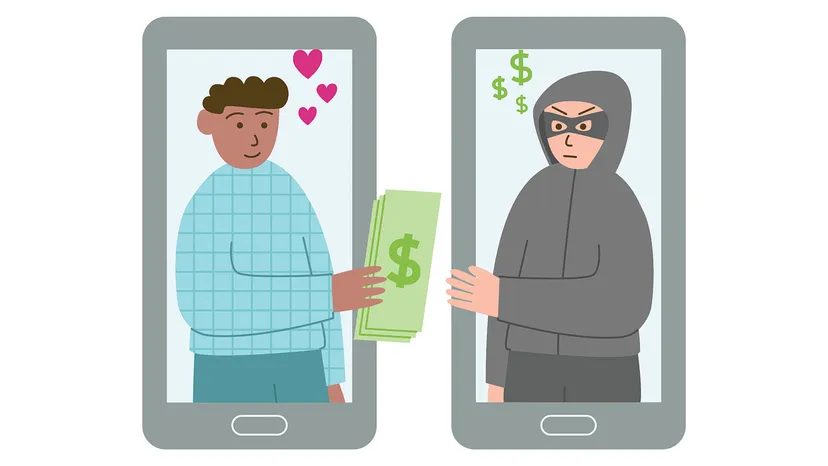
Not all attacks need tracking. Spoofing and phishing are older tactics but still effective. Spoofing masks the caller ID. The number appears local. It might look like your bank. It might look like a government agency. But it could be coming from anywhere on the planet.
When you answer, the scammer uses phishing. They claim your account is compromised. They say you owe money. They create urgency. They want you to transfer funds. They want your personal info.
Never give bank details to a stranger. If you are unsure, hang up. Call the company back using a verified number from their official website. Do not use the number provided by the caller. Scammers often request payment via gift cards or traveler’s checks. If a caller asks for this, it is a scam. Hang up.
Is a Stingray Close to Your Phone’s Approximate Location?
A stingray is a cell site simulator. It mimics a legitimate cell tower. It broadcasts signals that trick nearby phones into connecting. The device is short-range. But if you are within range, your phone treats it as the network. Any data sent—texts, photos, location—goes through the stingray. You won’t know it happened.
These devices are used by law enforcement. Federal agencies. Military. Some state police. They scrape data from civilians. The technology makes detection nearly impossible. Your phone shows full signal bars. It connects normally. There is no obvious sign of compromise.
If you suspect a stingray attack, power down the phone completely. Turn it off. If possible, remove the battery. This stops the radio from transmitting. You can also use a Faraday cage. It blocks all external signals. It traps the data inside.
The threat landscape shifts constantly. New vectors emerge. Old ones persist. The goal is not to eliminate risk. It is to reduce the attack surface. One misstep can expose everything. Stay aware.
Let’s be honest. Reading through the mechanics of digital surveillance might make you want to trade your smartphone for a brick. It requires genuine vigilance to keep spyware at bay, whether you are running the latest iOS update or an Android build. But you don’t have to go off-grid. You can still use your phone without living in fear of stalkers or hackers. You just need a strategy.
The defense is simple but rigorous. Understand your device. Acknowledge its weaknesses. Harden its security. And keep your personal life strictly personal.
Phone Stalking FAQ
What does it mean to stalk someone on social media?
It’s more than just scrolling. A stalker is tracking your activity by combing through posts and images. They mine that data—private information hidden in plain sight, geotags, and background details in photos—to map your whereabouts. One image can reveal where you live, where you work, and your daily routine.
Can someone stalk me through my phone?
Yes. There are two main paths to your data. The first is social engineering. This relies on the information you voluntarily publish. Stalkers piece together your life from your own posts. The second path is technical. This involves stealing data directly from your device. It’s more invasive, often requiring malware or exploiting security flaws.
What is a stalking app?
These are spyware programs. Some are commercial tracking software sold for dubious purposes. They monitor your smartphone in the shadows. They access your location via GPS. They read your text messages, both sent and received. They can even listen to your phone calls. You don’t know they are there until it’s too late.
How do I prevent my phone from being tracked?
Start with physical security. Keep your smartphone with you or in a locked, secure location. Digital locks matter too. Set a passcode. Configure your phone to resist bypass attempts. If someone picks the lock or guesses the code, you need barriers. Update your software. When patches drop, install them. These updates often close the very holes stalkers use to get in.
Beyond the Basics: Deepening Your Defense
Knowing the facts is only half the battle. You need to understand how these attacks happen in the wild to stop them before they start.
Consider the social engineering angle again. It is often the easiest entry point. Why? Because we are trained to share. We post our vacation photos. We check into restaurants. We tag our locations. A stalker doesn’t need to hack you if you hand them the keys. They just need to watch.
The technical route is harder to pull off, but the stakes are higher. Stalking apps like mSpy or FlexiSPY are notorious examples of commercial tracking software. They require physical access to install on Android devices. On iOS, it can sometimes be done via iCloud credentials if two-factor authentication is weak or bypassed.
“Precautions include keeping your smartphone with you or in a secure place… You should also keep your security up to date.”
This advice is not just a suggestion. It is a necessity. Outdated software is an open door. Hackers and stalkers alike scan for known vulnerabilities. If you are running an OS version that no longer receives security patches, you are sitting on a goldmine of exploit opportunities.


