LinkedIn Premium is a paid membership level in the world’s largest professional network. It’s more than just a badge of honour. This is a tool designed to expand your professional circle and improve your career.
Think of this as a key that opens a closed door in the free version.
For basic users, LinkedIn is a passive resume. For Premium members, it becomes an active engine. The core value proposition is more than just “adding functionality”. Control and visibility are important.
Break through the noise
The free version of LinkedIn has limitations. You can send connection requests. You can send messages to people you are already in contact with. But what about the recruiter for your dream company? Or the one who posted the job last week?
Without Premium, you’re often blocked. At least it’s very limited.
Premium membership gives you flexibility. You can send InMail messages directly to people outside your network. This is huge. This means you don’t have to wait for the other person to accept your connection request before greeting them. You’re reaching out first.
This speed is important. In a competitive job market, the first contact can often mean the difference between an interview and rejection.
See who’s really watching
This is where things get interesting. The free version tells you when someone viewed your profile. You may see “Someone at Google viewed your profile”. It’s very vague. It’s not useful.
The premium version is a game changer. Get detailed insights. See exactly who has viewed your profile. A complete list of recent visitors will appear.
Why is this important?
Because it turns passive browsing into an active strategy. If you see that a recruiter from your target company has viewed your profile, you can send targeted messages. You can say, “You looked at my profile and saw that we are interested in X…”
This isn’t guesswork. It’s intelligence.
Better visibility
Premium increases the visibility of your profile. It’s not just a buzzword. Affects how often your profile appears in search results. Recruiters use advanced search filters. They are looking for specific skills, industries and locations.
Premium profiles usually have a slight advantage in these searches. You are not invisible to the algorithm. You are highlighted.
This is important for two groups.
- Candidate: You are not actively looking for someone, but you want the recruiter to find you.
-Sellers: You need to differentiate yourself from potential customers who might be looking into your solution.
This is not a silver bullet. You still need a good profile. But with Premium, the more effort you put into creating your profile, the more people will see it.
Is it worth it?
This is the billion dollar question. The answer depends on what you want to do.
If you browse LinkedIn passively, browse news and occasionally “like” posts, you don’t need Premium. The free version is enough to maintain your network.
But if you’re actively looking for a job, looking for sales opportunities, or building your brand, these tools are essential. InMail saves time. Detailed viewer insights save effort. Improved search visibility saves opportunities.
The costs are real. It adds up. But so is the value of one job opportunity or new client.
The line between passive and active use is thin. Premium is a bridge
LinkedIn Premium is not just a blue tick. More for job seekers.
Members see job postings before competitors. More details are here. Who applied? What’s the situation? These details remain hidden in the standard profile.
Access to career counseling is also provided. So are job opportunities. This is by far an advantage for those looking for a new job or waiting for a promotion.
Education and Network Advantages
Think about it. You want to improve your skills.
LinkedIn Learning has thousands of courses.
Premium members get full access to this library.
You won’t have to learn new skills.
This resource is valuable for advancing your career.
Private vehicles also come into play.
You can reach more people.
There are filtering options to expand your professional network.
Strengthening business relationships becomes easier.
Catching new opportunities becomes clearer.
Why is Premium Preferred?
Expanded professional network.
Advanced communication facilities.
Career development tools.
Access to exclusive job opportunities.
These features make the LinkedIn experience efficient.
You reach your professional goals faster.
How Much Does LinkedIn Premium Cost?
Prices vary.
But in general, the monthly subscription model works.
Some plans offer more features, while others are more affordable.
Exact pricing is updated on LinkedIn’s official page.
Whether it’s worth the investment depends on personal need.
If you’re looking for work frequently, early access can be expensive.
If you just want to learn, there are free alternatives.
It’s your decision.
What are your goals?
LinkedIn Premium Prices and Plan Comparison: Which Package is Right for You?
You start with a free trial for the first month and then move on to monthly subscriptions. You already know, but it’s worth reminding: LinkedIn Premium does not have a single price tag. The amount you will spend in your wallet will vary depending on the package you choose based on your needs.
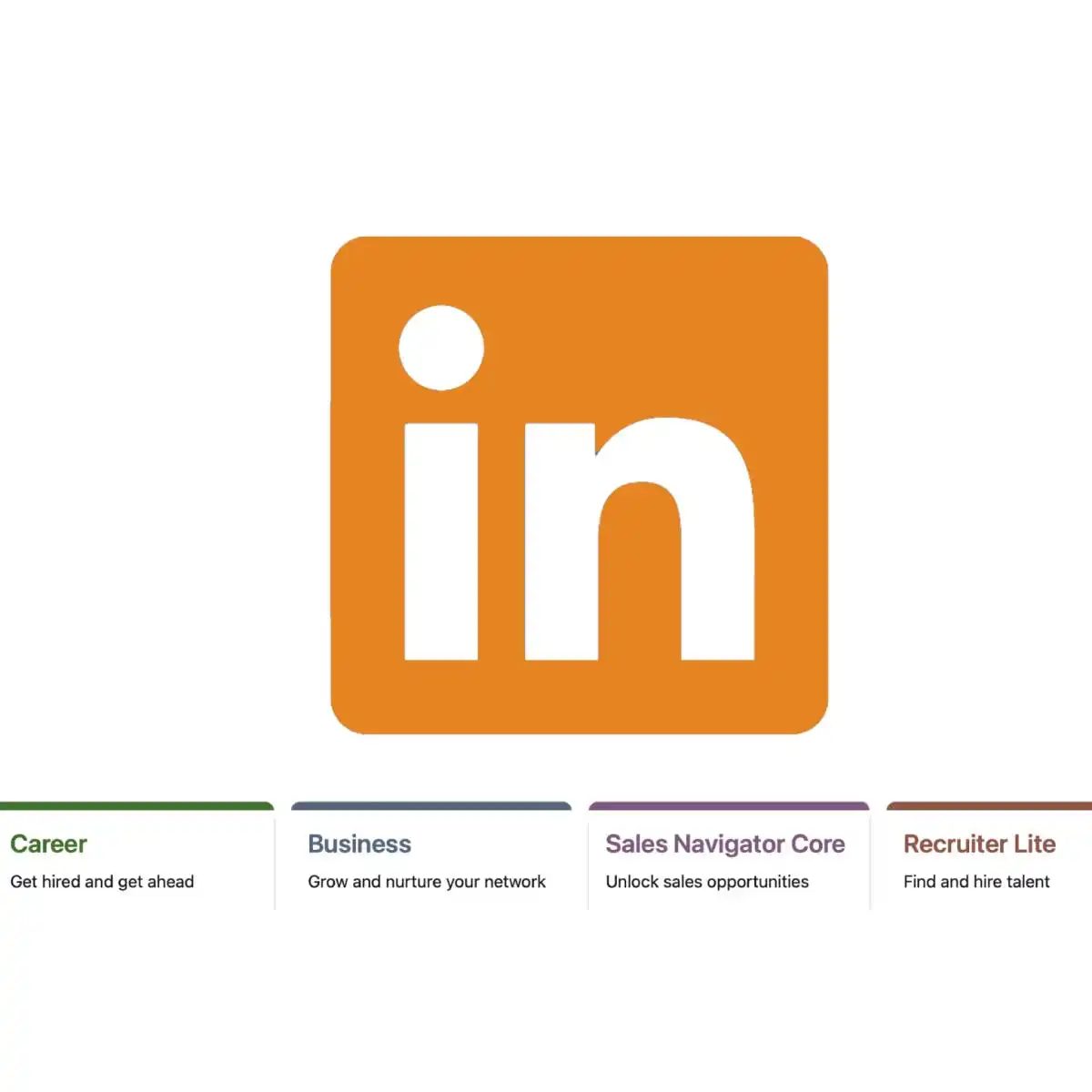
There are four main plans that cover everyone from career-focused individuals to large sales teams. Here is the current LinkedIn Premium price list and what these packages offer.
Premium Plans for Career and Growth
Let’s start with LinkedIn Premium Career. This package, starting from 117.99 TRY per month, is designed for individuals who want to climb the career ladder. Professional development focuses on exploring job opportunities and improving skills.
LinkedIn Premium Business is mostly for small business owners and entrepreneurs. Available at 188.79 TRY per month, this plan provides advanced search options and business-focused tools, as well as access to a broader network.
Professional Sales and Recruitment Tools
If you’re in the sales world, LinkedIn Premium Sales Navigator Core comes into play. This package, which corresponds to 267.99 TRY per month, offers special tools for managing customer relationships and finding potential customers. It is indispensable for sales teams.
Finally, there is LinkedIn Premium Recruiter Lite. Starting from 579.98 TRY per month, this plan is for recruiting professionals and companies. It offers special filtering options such as talent discovery and expanding the candidate pool.
Which Plan Should You Choose?
Which package you choose depends on what you want to do. Personal development or professional sales tools? Each package has its own unique focus.
Do LinkedIn Premium fees change?
Certainly. These figures are not just a static price tag. It represents the monthly cost of LinkedIn Premium memberships. But market dynamics do not allow this. Prices change over time.
What does it depend on?
- To local currency.
- Your country of residence.
- To active campaigns.
Equivalent wages do not always remain the same. The dollar index may roll. Tax policies in the euro area are subject to change. Promotion codes may expire. That’s why giving a fixed number would be misleading.
For the most up-to-date and detailed price information, go directly to LinkedIn’s official website.
Is LinkedIn Premium worth it?
This question lingers in the back of every new member’s mind. So, what do you get for the monthly fee?
Compared to free accounts, Premium; It removes message sending limits, highlights your profile, and offers advanced filtering. But are these features necessary for your business?
You need to evaluate this based on your personal usage scenario. It is difficult to find a general “yes” or “no” answer.
LinkedIn Premium is a membership plan. Paid. So, what do you get for the money? Is it valuable? The answer varies from person to person. It varies depending on your goals, needs and budget. This plan does not provide a clear answer, especially for those who ask what LinkedIn Premium value is. However, some factors may direct this.
If you’re looking for a job or want to advance your career, you gain access to a wider network of opportunities. You highlight the ads. You connect with more company officials. Your visibility increases. These features have the potential to improve your job search. It’s not for everyone. For active users only.
If you’re looking to expand your network, Premium gives you a more comprehensive experience. You communicate directly with other Premium members. You can send messages to more people. You have access to events. It becomes easier for you to create new connections. These opportunities are increased to grow your professional network.
There is also access to educational resources. It helps you develop your skills and abilities. There are lessons on job search strategies. Leadership is human. Personal branding. These courses and training materials support your professional development. It can be a valuable tool for advancing your career.
There are more search and filtering options. Compared to other users. This is especially valuable for job seekers. Same for business owners. You target job postings better. You find talented candidates. You take advantage of the advantages to gain a competitive advantage.
Which Plan is Right for You?
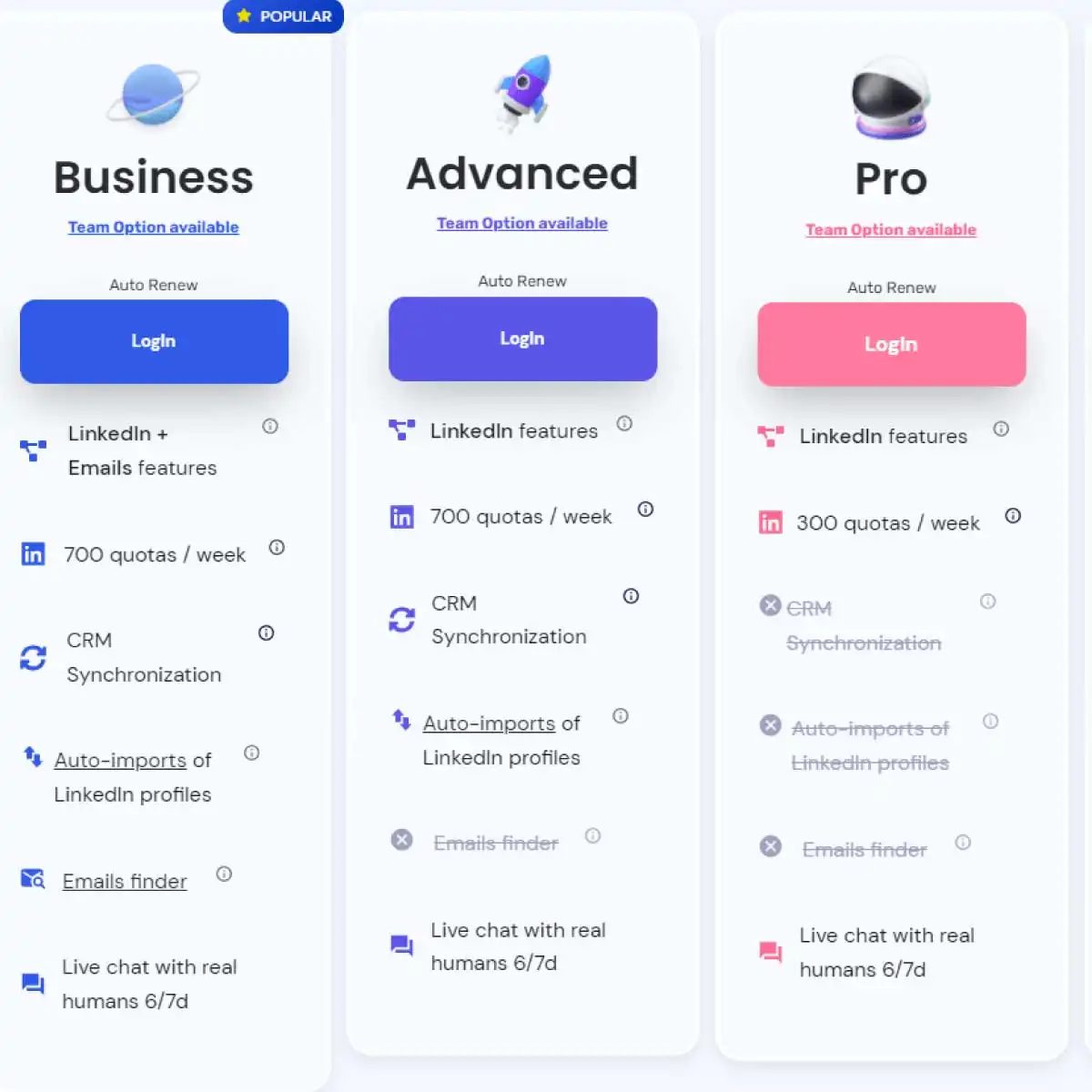
There are three main plans. Business, Career and Sales Navigator. Each addresses different needs. Which plan is right for you? You should choose according to your needs.
Business Plan focuses on sales and business development. You analyze lead connections more deeply. InMail credits are more. It is easier to reach decision makers.
Career Plan is designed for job seekers. You see which companies are tracking you. You follow the postings you apply for. You access salary information. This information gives you an advantage when negotiating.
Sales Navigator is for sales professionals. There are advanced filters. You focus on the accounts and people you follow. Provides CRM integration. It automates your process.
Each plan has its own advantages. Which one would serve you better? Your budget and goals are decisive.
Why Not Premium?
We don’t need everyone Premium. Free version also works

Sometimes it is enough to settle for the standard account. But sometimes you need extra tools to unlock the potential in your profile. LinkedIn Premium is that extra toolbox. Compared to the standard free version, it offers not just more “clicks” but a strategic advantage.
Here’s how this membership option sets you apart from others.
Message Door Open
One of the biggest differences is the ability to direct messaging. On the free account you can generally only send connection requests. Premium members can knock on the door. This makes a critical difference, especially when networking.
You can support your connection requests with a personal note and reach your targeted people directly. Expanding your professional network becomes less like an appointment list and more about real communication.
Search and Filtering Power
For job seekers, it’s simple: More specific filters mean better results. Premium members can search by details such as industry, location or company size. For business owners and sales professionals looking for leads, this targeted search feature prevents wasted time.
Instead of just writing “software engineer”, finding software engineers “in Istanbul, with 50-200 employees, in the SaaS sector” gives a much clearer result. This depth filtering turns your search into a needle put through the eye of a needle.
Career Development and Learning
Improving your professional skills is no longer just an option, it becomes a necessity with the Premium package. LinkedIn Learning offers access to resources, interactive courses and training materials.
Whether you’re learning a new language, expanding your existing skills, or climbing the career ladder, accessing these resources won’t leave you behind in the market. Increasing your competencies concretely also strengthens your profile.
Priority in Job Postings
If you’re looking for a job, being visible is half an achievement. LinkedIn Premium makes your applications stand out. Getting priority ranking on job postings means seeing more opportunities.
Just applying is not enough. The ability to reach company officials directly prevents your application from being seen by anyone and deleted. Access to more information allows you to understand whether the job is really right for you. This saves time for both you and the employer.
Profile Visitors and Analytics
Who visits your profile? While this information is blurry on the free account, Premium members see clear data. Visitors’ companies, locations and other relevant information
LinkedIn Premium Features and Free Accounts: Are They Worth It?
You are looking at the paid tier. It sits on top of a standard free account. The price will change, but the value proposition of utilizing leverage hidden in the network will remain unchanged.
Direct messages are the most important. Free users hit a wall here. Premium users slide right past. You can send InMail to people you don’t know. You can attach personal notes to your contact request. This is not just a polite thing to do. This removes the noise. Your profile is more than just a digital business card; It’s a conversation starter.
Search filters and coverage
The free search bar is simple. It shows you what LinkedIn thinks you want. Premium offers the tools to dig deeper.
You can filter by company size. You can limit your search by industry. You can filter more precisely by location. This is important when recruiting talent. It’s not just about casting on a wide net. You are spearing specific fish.
Also used by job seekers. See who viewed your entire profile. Free users will see a truncated list. Experienced users can get a complete picture of the situation. Let’s see who is serious. You can tell who is just browsing.
LinkedIn Learning Access
Here, the subscription feels more like a gym membership than a tool. Includes LinkedIn learning. No additional costs are required.
This library is all about leadership. It covers project management. It also covers soft skills like communication. The course is interactive. They are more than just words on a screen.
Professional development isn’t just for juniors. Suitable for people who want to maintain sharpness. These can be helpful if you are in a management position. If you change jobs, these can be helpful. It is a resource waiting to be used.
So is it necessary?
It depends on what you want.
If you just want to keep in touch with old colleagues, the free version is enough. You can send updates. You can comment. You can connect. This is a passive network.
If you are actively recruiting or actively looking for a job, the math changes. Being able to message anyone directly is a game changer. Filtering options save time. Learning libraries bring tangible added value.
There is no universal answer. It’s all about volume. How many connections do you need? How many job applications do you send? How much time do you spend looking for the right person?
If your answer is high investment and low returns for the free tier, the premium version will probably pay for itself in a few weeks. If you’re casual about it, it’s just an expense.
The features are clearly visible. The implementation is yours.
LinkedIn Premium: A Tool, Not Just a Name
Compared to the standard free account, LinkedIn Premium is a membership plan that provides additional features to the user. But whether this plan is necessary for you is an open question. The answer lies in your personal preferences, goals and budget.
For job seekers, the situation is a little more complicated. Premium raises your profile by offering priority visibility in job postings. It also provides wider network access. Making your applications stand out is also included in this package. If you are trying to differentiate yourself in a competitive market and are in an intensive job search, this additional support can make your job easier.
There are limits when it comes to connecting. On the free account, you’ll be limited to daily connection requests. Premium removes or increases this restriction. If you want to communicate with big names in the industry, the InMail feature is vital. However, a free account may also be enough to expand your existing network. It is not mandatory for everyone. Increasing your interactions is not just about giving money.
Access to educational resources is another factor. LinkedIn Learning offers full access for Premium members. This is a great advantage if improving your professional skills is your personal development goal. Accessing courses and training materials gives you the tools you need to take steps in your career. But is all content free? No. Some key resources are left out.
It’s a different scenario for sales professionals and business owners. More search and filtering options make it easier to reach potential customers. Access to analytical data helps you stay on track with your business goals. If you actively use LinkedIn as part of your sales strategy, Premium provides additional benefits. These tools are important for growth and development.
In Which Situation Should It Be Taken?
Not everyone needs Premium. It can be effective during periods of high competition for job seekers. If you have a sales team, it speeds up customer finding processes. But for general users, the free version is often sufficient.
If you are on a budget, use the free one first with maximum efficiency. Expand your network. Create content. Interact. Then consider the extra steps Premium brings.
After all, is it a luxury or an investment? The answer is up to you. Market conditions are changing. Competition is increasing. Perhaps it’s not just your profile that makes the difference, but the ways you become visible. Which level to stay at is a matter of choosing the one that best matches your goals.
If you’re squeamish about money or just want to protect your budget, the question of whether LinkedIn Premium is a luxury perk or a necessary tool may wander in your mind. The answer is simple. No, it’s not always necessary.
Think about it. Is it worth spending some of your salary or allowance just to make your profile look better and access some buttons?
The answer to this question is not hidden in your necessity of using a LinkedIn Premium account ; It’s hidden in your purpose.
Benefits for Job Seekers
If you are looking for an active job, the situation changes slightly. Premium makes you stand out a little from the crowd.
- Access to priority postings: Allows you to bypass some filters to attract the attention of advertisers.
- Profile highlighting: “Premium” badges are highlighted on your profile.
- Expanded network: Opportunities to engage more deeply with 2nd and 3rd degree connections, not just 1st degree connections.
- Education resources: Full access to platforms such as LinkedIn Learning. These resources to improve your skills are not free, but are included with Premium.
So, do these features really increase your chances of finding a job? The data is mixed. For some users this makes a difference. For some, it is just an expense item.
Professional Networking and Communications
If you want to connect with important people in your industry, Premium opens the door for you.
Direct messaging limits are being lifted. Now, instead of saying “Hi, I’m interested” in front of everyone, you can take a more personal approach. There is also the right to participate in events and the opportunity to view more profile visitors.
This is a great convenience, especially if you are networking oriented. But remember, even though the number of times you request links increases, quality still matters. Instead of sending empty connection requests, it is always more effective to write targeted and meaningful messages.
Business Owners and Sales Professionals
If you’re using LinkedIn to grow your business or make sales, the story changes.
- Advanced search and filtering: You can find potential customers with much more specific criteria.
- Access to analytical data: You can see who visits your profile and how often they interact.
- Targeted access: You can shape your sales strategy based on data.
These types of details can be really critical to achieving your business goals. If LinkedIn is one of your main sources of income or a key part of your sales funnel
If you are a student and want to take a step forward in your career journey, some of the features that LinkedIn Premium offers you are truly remarkable. This tool is not just a subscription; can support you in expanding your professional network, achieving your career goals, and streamlining your job search. So, what exactly are these features?
LinkedIn Premium Provides Job Search Advantages for Students
Competition is very high during the job search process. In this process, LinkedIn Premium offers you advantages such as access to priority job postings, viewing more job opportunities and highlighting your applications. It can also help you connect with internship programs and employers.
- Priority access: Faster and more access to job postings.
- Application advantage: Making your applications stand out.
- Connecting: Possibility to communicate directly with employers.
Professional Network Expansion for LinkedIn Premium Students
LinkedIn Premium makes it easy for students to expand their professional networks. With a Premium account, you can communicate directly with other Premium members, join professional groups and participate in events. This allows you to connect with key people in the industry and consider mentoring opportunities.
Advanced Skill Development for LinkedIn Premium Students
LinkedIn Premium offers students the opportunity to develop their professional skills. An extensive training library accessible through the LinkedIn Learning platform provides students with the opportunity to learn about leadership, communication skills, business trends and more. These resources can help students be more prepared to enter the business world after graduation.
Profile Visibility for LinkedIn Premium Students
LinkedIn Premium makes your profile visible to more people. Students have the chance to boost their profile and get more profile visitors with a Premium account. This can make it easier for employers to notice you and invite you to potential job opportunities.
Is There Any LinkedIn Premium Trick?
This question is frequently asked among students. Short answer: No, there is no official cheating or illegal method. Note that LinkedIn Premium is a paid service and its benefits are only available to subscribers. It is not possible to access these features with free accounts. However, there may be special discounts or trial versions for students. It is recommended that you check these options on LinkedIn’s official website.
All in all, LinkedIn Premium can be a valuable tool for students. However, using these tools requires patience, strategy, and an openness to continuous learning. Remember, vehicles are the road to you.

It makes sense to find out what can be done with free accounts and test whether premium features are really necessary. However, it is also important to stop when you change your mind.
Many people forget to unsubscribe. Then comes the surprise bill. Don’t panic.
Why is the Cancellation Process Important?
LinkedIn Premium offers extra tools for job seekers or networkers. But it is not suitable for every budget.
There are two big risks of not unsubscribing.
-
You cannot get a refund.
If you accidentally start a subscription and don’t cancel immediately, LinkedIn generally does not refund fees. This is the platform’s clear policy. -
Account security concerns.
As mentioned in the previous section, using fraudulent methods to get free premium access puts your account at risk. Such actions may result in permanent termination or suspension. Using official means by following ethical rules protects your professional reputation.
Step by Step Unsubscribe
The process is simple. You don’t need to get lost in complicated menus.
- Log in to LinkedIn.com.
- Click on your profile picture.
- Find “Premium Membership and Billing”.
- Press the “Cancel Plan” button.
Following these steps is a valid way to unsubscribe. Once the transaction is completed, you will continue to have access to the features until the period ends. The fee will not be reflected in the next billing period.
Frequently Asked Questions and Facts
Is a refund possible?
Usually no. LinkedIn charges a fee for the service received for the duration of use.
Will my account be deleted?
No. Canceling Premium will not delete your account. You will remain a basic (free) account.
Which features are lost?
InMail messages become inaccessible beyond your contacts and some analytics tools become inaccessible. However, basic networking features and profile visibility are retained.
Consider Alternatives
After canceling the subscription, re-evaluate what you can do with the free account.
The free account is also a powerful tool.
– Profile optimization
– Personal connection requests
– Participation in groups
– Content sharing
These tools, when used correctly, will enable you to achieve your career goals. Premium can be a luxury. Basic features meet basic needs.
Last Word
The cancellation process is fast. But be sure of your decision.
Give time to reconsider. Invoice

Canceling LinkedIn Premium without losing data
Stop your wallet from bleeding. LinkedIn Premium is a great option for recruiters and salespeople, but for most people the free version does the heavy lifting. If you are tired of the auto-renewal notifications, you can cancel your subscription as follows.
Step-by-step cancellation process
The interface is slightly different depending on whether you’re using a desktop or mobile device, but the logic is the same. Looking for billing settings.
- **Log in. ** Visit official website. Do not click on suspicious links.
- **Open the account menu. ** Click on your profile picture in the upper right corner.
- Go to settings. ** Select Settings and privacy** from the drop-down list.
- Find Billing. ** Look for the Membership or Billing** tab on the left sidebar.
- Manage Subscription. Click on LinkedIn Premium.
- Cancellation. Scroll down. You will be prompted to Cancel Membership or Manage Subscriptions. Click on it.
- Confirm. Read the warning. They try to keep you with discounts and extended trial periods. Please ignore. Confirm cancellation.
“If you cancel your membership, your membership will end at the end of your current billing period. Your current billing period will not be refunded.”
You are now a free user again. Your posts stay. Your connection still exists. However, the inMail credits are gone.
What You Really Get (And Why It’s Not Worth It)
LinkedIn Premium is not a product. This is a series of plans. It is important to understand the difference between Career, Business and Recruiter Lite before paying or canceling.
- Career: For job seekers. See who viewed your profile, InMail messages, and LinkedIn Learning access.
- Business: For networking. More InMail, advanced search filters and the ability to see who has saved your profile.
- Recruiter Lite: For hiring managers. In-depth knowledge of candidate profiles and direct sourcing tools.
The inMail functionality is the main attraction. You can send messages to people you don’t know. If you send a message and don’t get a response, the value proposition drops fast. The LinkedIn Learning integration is perfect if you want to sharpen your Excel or management skills, and these tutorials are available for free on YouTube.
What happens if I click Cancel?
This is where people get confused.
**Access does not disappear immediately. ** Premium benefits can be kept until the end of the paid billing period. If you cancel your subscription on the 15th of each month and your cycle ends on the 30th, you will retain your payment level until the 30th.
Refunds are not available. LinkedIn is very strict about this. You do not get money back for the days left in your current month. At the end of this period, you will be charged an admission fee.
*You revert to Free. ** Once the date has passed, you will lose:
* Ability to view complete profiles of people outside your network.
InMail credits.
* You get access to LinkedIn learning courses.
* Ability to see who viewed your profile (only the last 5 are shown).
Transferability and Refund Policy
You cannot transfer your order to another email address. If you have a LinkedIn account through your university or company SSO, your premium sub-account is tied to that ID. You must purchase a new one for your personal account.
Returns are rare. They vary depending on the consumer legislation in your area and whether you have applied for a large number of services during this time. If you cancel after using 20/30 inMails, expect a rejection. Please contact support only if you have been charged within the last 48 hours and you didn’t want it.
How much does it cost?
Prices vary by country and plan type. Career starts around in the US is around $39.99 per month. Business is more expensive. Annual plans usually includes a discount, but is locked in for 12 months.
If you’re just looking for a job, the monthly Career plan is the standard option. If you’re in sales, Business can get a better ROI thanks to search filters.
Final thoughts
Canceling LinkedIn Premium is a routine administrative task that requires attention to detail. These buttons don’t always have Cancel visible. LinkedIn wants you to stay. They will offer discounts. They highlight what you lack.
Remember: networks are built for connections, not paid badge. The algorithm treats free and paid profiles the same way within the main feed. When the monthly payment makes no longer sense, cut the cord. The free version is still the world’s largest professional network. You don’t have to pay to enter the room.