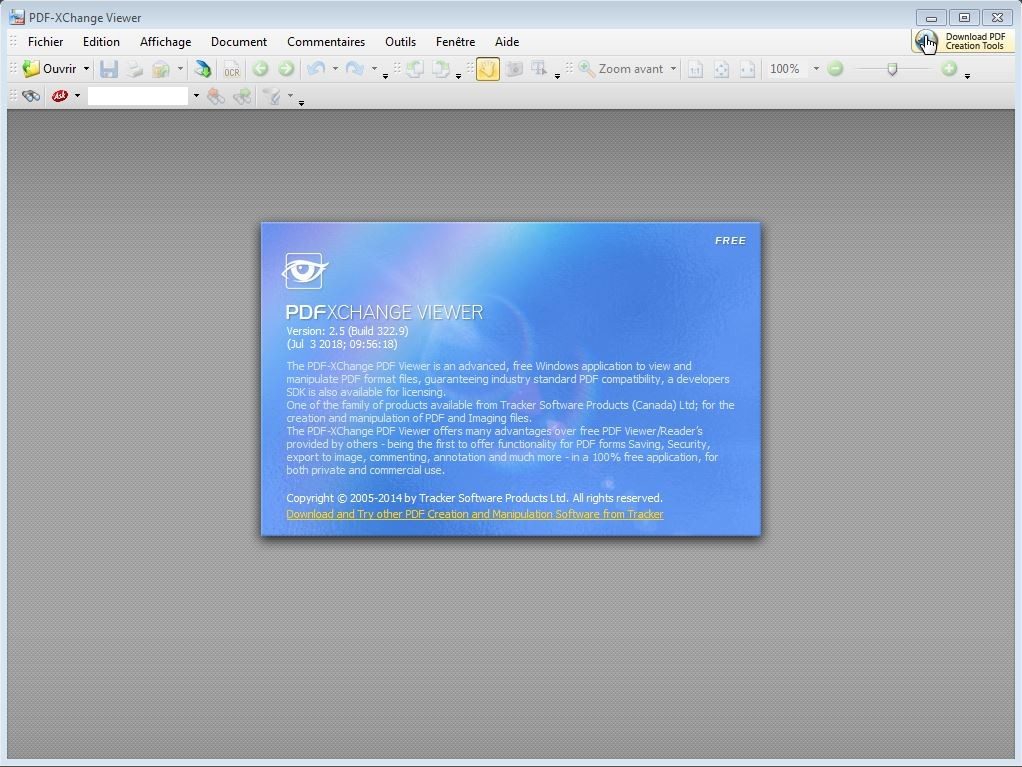
PDF-XChange Viewer is more than a free PDF tool. This is a basic tool for Windows users who need speed without bloat. This software has carved a niche for itself as it is incredibly fast and streamlined, yet offers enough features for serious work. The user interface adapts whether you are a casual reader or an expert working on many technical instructions. You can streamline it just for readability or load it with tools for effective document management.
The biggest draw is how it handles large files. It will open immediately. Once the PDF file is opened, it begins. It’s not just limited to reading. You can add comments, highlight text, draw shapes and sketches freehand, and more. This makes it a solid choice for collaborative feedback loops. If you’re stuck with a 500-page document, the built-in search feature will instantly find keywords throughout the entire file. There is no hunting. Only the results.
“PDF-XChange Viewer balances lightweight performance with powerful annotation features, making it the first choice for Windows users managing complex documents.”
In addition to basic display, this software also handles conversion. You can also extract images from pages, capture pages as still images and convert PDF files to other formats. Despite the basics, digital signatures are also supported. This is sufficient for formal authentication, but don’t expect enterprise-grade encryption protection here. Exporting comments can save your changes and import them into other office tools, making your workflow smoother.
Built-in multilingual support. This further expands its global appeal. The user interface adapts to your preferred language and removes barriers for international teams. In collaboration, the multi-tab user interface is your savior. Open multiple documents at once. Compare content side by side. Copy text from one PDF file to another without switching windows. It’s a seamless experience that rivals more expensive editors.
Compatibility and installation nuances
This tool is only available on Windows. Covers the entire Microsoft operating system family. This section covers Windows XP and Windows 11. This broad compatibility is a big selling point for organizations looking to extend the life of legacy equipment. You don’t need a new powerful machine to use it. The software respects old systems and stays up-to-date enough to meet modern security standards.
Installation is easy. Download executables from trusted sources. The installer guides you through the entire process. The default settings work for most people. However, experienced users can make changes. Change the user interface language. Set the default file location. Configure automatic merging of PDF files. This flexibility allows the tool to fit into existing ecosystems without breaking anything.
Updates do not happen automatically. This is by design. You can manually check for updates from the developer’s website or trusted software repositories. This gives you control. Don’t be surprised if it restarts while you’re doing something important. It’s a small detail, but it’s important when editing contracts or scientific publications.
Why is only Windows important for installation?
This is the problem. PDF-XChange Viewer is not available on macOS, Linux, Android, or iOS. If you use a Mac, you’re out of luck. Have to rely on preview or other native app. The same applies to mobile devices. The development core is closely tied to the Windows architecture. This is not cross platform support. This was a carefully considered architectural choice.
For Windows-centric users, this is not a limitation. This is a function. The software is optimized for the operating system it runs on. Take advantage of Windows-specific APIs to achieve legendary speed. No other platform can match this level of integration without significant overhead. So if you’re part of the Windows ecosystem, you have access to powerful free tools. If not, you’ll have to look elsewhere.
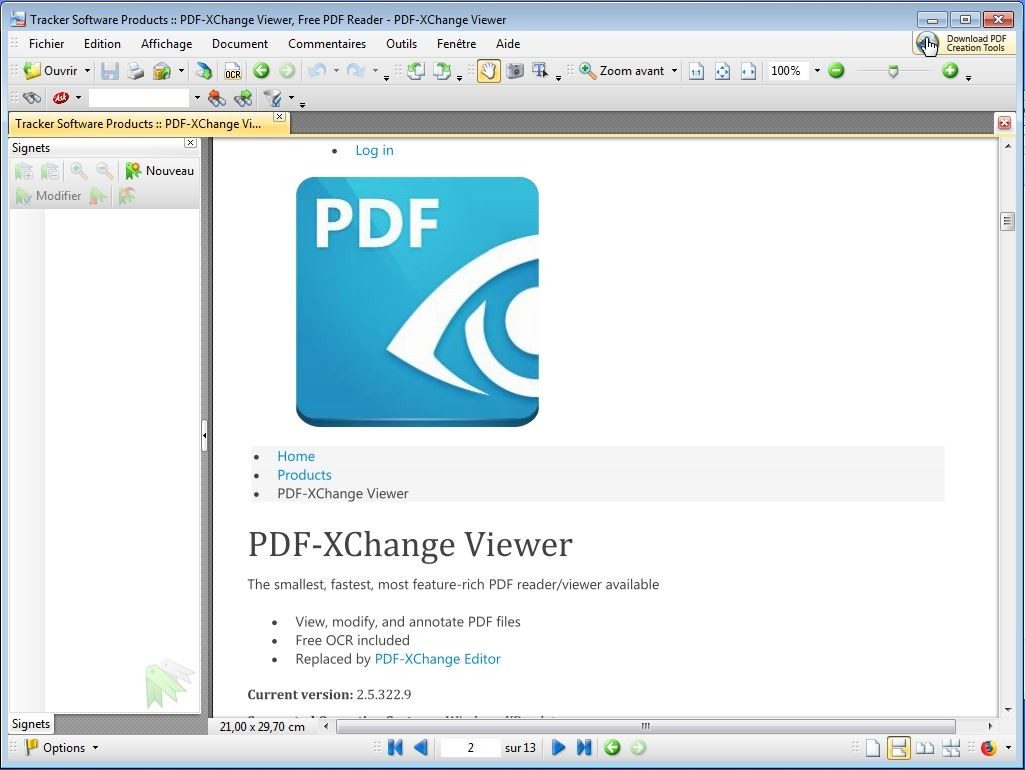
The successor to this viewer is PDF-XChange Editor. Provides more advanced editing features. But the audience stays. It is still usable. It’s still free. For many people, this is still the best option for simply viewing and annotating PDF files without paying a subscription fee. The choice between viewer and editor often comes down to how much power you really need. Most people don’t need an editor. All you need is a fast and reliable viewer. For that purpose, this tool makes it possible.
PDF-XChange Viewer does not require a subscription. It just works. Permanently available for personal or professional use. There is no time limit. There are no hidden paywalls for basic features. This model explains why it exists everywhere.
The school loved it. Teachers use it to annotate materials. Students criticize it. It is very stable. It never falls. Small and medium-sized businesses rely on it to perform their daily tasks without recurring costs.
But there’s a problem. The free version is a viewer. Not an editor. If you have to fill out forms or edit text, it can be a pain. This is where PDF-XChange Editor comes into play. It costs money. But it is cheaper than many of its competitors. And you can switch easily.
There is no “student discount”. No need. The free download handles most common PDF functions. Commercial use is permitted under the free tier. That’s why you see it in tech startups and big companies.
Legacy support and compatibility
the age of technology. Hardware is getting old. PDF-XChange Viewer understands this. You can download older versions. Why? This is because some systems cannot use the latest version. Or you can choose a familiar interface.
This is not just nostalgia. It’s about continuity. Your workflows won’t be interrupted because Microsoft has decided to end support for Windows 7. This software supports multiple environments. old computers. A new Mac computer. Regardless of your preferences, you will find the right tool.
Comparison: Speed and features
Adobe Reader is huge. it does everything. But it consumes memory. The user interface feels heavy. Spacious. Foxit Reader is faster. In terms of performance, it is close to PDF-XChange. But even Foxit has locked advanced annotation features behind a paywall.
PDF-XChange is somewhere in between. It is very light. It is very fast. It provides enough power to perform normal tasks without slowing down the machine. For the average user, this is the best option. You don’t have to be bloated to get the action.
Learning curve and community
No authentication required. The user interface is very intuitive. But if you want to manage it, the resources are there. Free tutorial. Online guide. Video tutorials. The developers have not yet created a formal test. Learn by doing.
Forums are useful. Real people solving real problems. Do you want to automate tasks? Weird errors? The community may have seen it. You’re not the only one who knows how to extract metadata or print in batches.
Where are we going?
The future of PDF is collaboration. security. Cloud based. PDF-XChange Viewer does not facilitate this transition. The focus of development has shifted to PDF-XChange Editor. This is where the new features come into play. Improved security. Compatibility of new formats.
Viewers are still supported. However, updates are slower. In service mode. If you want cutting edge technology, you have to pay for it. Or wait. Or just accept that the free version is stable enough for most people.
It is important to download from official sources. A verified version is required. For example, Futura offers verified downloads. They value authenticity. Scientific and educational communities need tools that do not undermine trust.
Things are changing. Collaborative documentation wins. But for now, PDF-XChange Viewer is a quietly powerful tool. Quickly. free. it works. Until it isn’t.
PDF-XChange Viewer Specifications and Compatibility
Tracker Software’s PDF-XChange Viewer is more than just a PDF reader. Designed for environments where speed is more important than lightning. This software runs on Windows XP to Windows 11 operating systems. Supports both 32-bit and 64-bit architectures. Thanks to this wide compatibility, even older Lab machines can open documents without crashing. There are no significant dependencies. It is a standalone installer that works offline.
For IT managers or system administrators, this is important. You do not need an internet connection to use the core functions. Marking, printing and reading are all done locally. This is useful for isolated computers or secure rooms. Strict outbound connection policies ensure that your workflow is not interrupted.
The user interface is multilingual. French and English are included by default. But the real power is in customization. Tabs allow you to open multiple documents. You can attach the .pdf plugin to your viewer during installation. You can adjust the display settings according to the specific needs of your business.
Supported formats and installation
This application handles standard PDF files. Supports downloading PDF/A format. This ensures compliance with archival documents. You can export content as images or text. The search function works on different pages. Marking tools are efficient enough to be evaluated by experts.
Installation is very easy. The Windows installer is checked and clean. It can be instantly installed in classrooms, labs, administrative offices, etc. No cloud account required. There are no free features for annoying telemetry.
Why this matters to everyday users
Most PDF readers are bloated. Download ads or push feeds. PDF-XChange Viewer keeps it simple. We prioritize functionality. When handling large volumes of documents, a tabbed interface can save memory. When you want to mark or highlight something, you don’t have to scroll through menus to use these tools.
Internet independence is a feature, not a bug. In many organizations, security teams restrict access to the network. The software respects this. I don’t call home unless you ask me to.
Important points
- Editor: Monitoring of software products
- License: Free software
- Operating system support: Windows XP – 11 (32/64 bit)
- Interfaces: Offline-first design
- File types: PDF, PDF/A, text/image export
“This app allows standalone installation and offline use.”
This approach is suitable for users who value control. You choose your settings. Preserve your workflow. There are no mandatory update periods. There are no hidden fees. A powerful tool for viewing and marking documents.