Let’s be real. Apple isn’t trying to make your iPad a MacBook Pro. They never were.
If you’ve been waiting for iPadOS 27 to transform tablet into desktop, you’re going to be disappointed. Again. The latest developer beta—running here on an M4 iPad Air—doesn’t bring windowed multi-tasking or file system overhauls that mimic macOS. It stays exactly where it’s always lived: that awkward hybrid space between a phone and a computer. Neither fully one, nor fully the other.
But stop expecting the impossible.
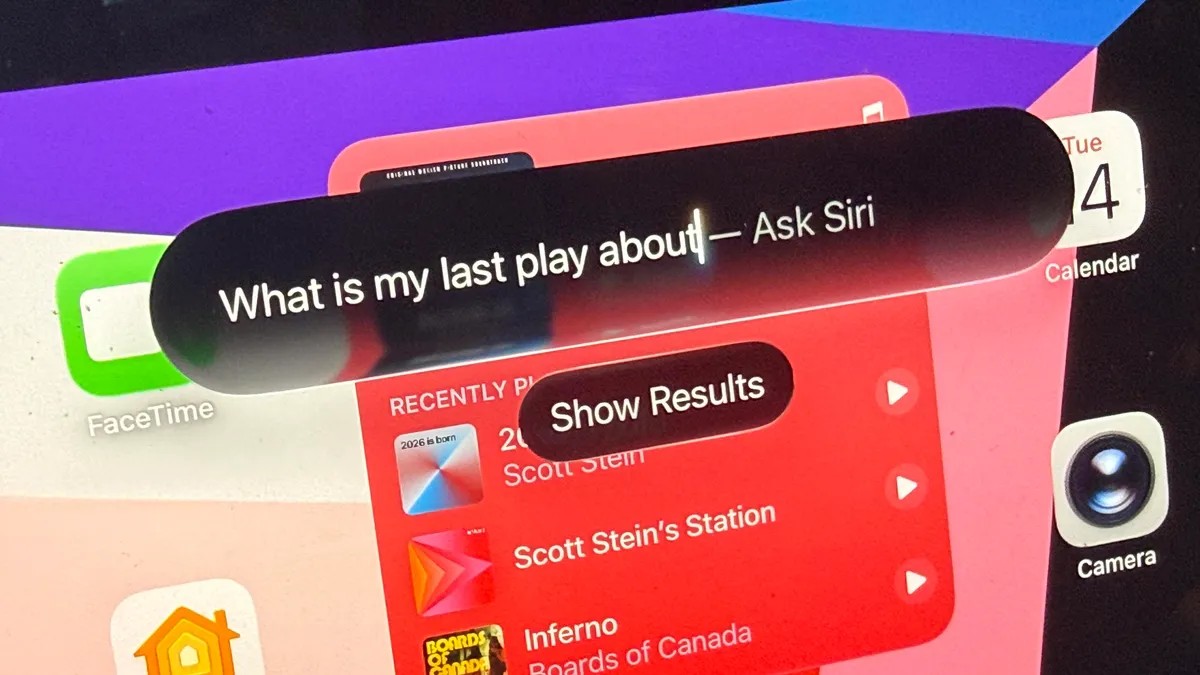
What Apple is doing this time? They fixed the brain of the device. And they did it by completely revamping Siri.
You might roll your eyes. Who needs AI assistants right now? Fair. The market is saturated with generic chatbots. But there is a difference between a generic LLM and an assistant that knows where your files live. Siri in iPadOS 27 Siri deep integration isn’t just a voice toy. It’s a search engine for your personal digital life.
How Local AI Changes Device Search
Here is the core shift: indexing.
When you install the beta, the device spends time (quite a long time) building a new index. You can keep working while it churns away. Once finished, the difference is stark. The old Siri looked at the internet. This Siri looks at your device.
It connects the dots across Messages, Mail, Files, Photos, Calendar, and Notes.
Think about how many conversations you have that never get filed anywhere. A quick text from a friend about a meeting time. An email with a script draft. A Note jotted down during a coffee break.
Previously? That information was trapped in silos. You had to hunt. Now?
Siri acts as a unified retrieval layer, pulling context from disparate Apple services without needing to manually switch apps.
I asked it to find every time I’d mentioned “magic” recently. It surfaced texts, emails, and notes instantly. It found a draft play script buried in an old email and analyzed its themes on the spot. This isn’t about generating content from thin air. It’s about remembering what you already own.
This local-first approach, triangulated with cloud data, means it’s instant. No uploading gigabytes of private docs to a third-party server just to get an answer. It feels less like a tool and more like an external hard drive for your brain.
Is iPadOS 27 Worth Installing Early?
This is where it gets tricky.
I generally don’t tell people to jump on public betas unless they have a backup device. Buggy software kills workflow. But the beta program is rolling out for iOS and iPadOS as expected. If you’re a power user? The wait is painful. If you just watch movies on the train? Skip it.
The iPadOS 27 beta performance is stable, mostly. But the Siri overhaul requires patience. That initial indexing process takes hours. You won’t see the “smarts” until it’s done.
And yes, third-party support is… limited. Right now. Siri plays nicely with Apple’s walled garden. Third-party apps will likely get proper integration by fall when the OS exits beta. Until then, don’t expect Siri to control Spotify or Notion seamlessly.
Why wait until fall if it’s not perfect now? Because the core value—retrieving your own data—is working today. And honestly? That’s the use case 90% of us need. We don’t need a chatbot to write our tax returns. We need a way to remember what our spouse texted us last Tuesday.
The Verdict on Apple’s Hybrid Identity
There is a quiet elegance in iPadOS 27’s identity crisis.
It borrows UI cues from iOS. It borrows hardware capability from macOS. It sits in the middle, awkwardly. But maybe that’s the point.
As AI gets smarter, the line between “mobile” and “desktop” blurs not because the screen gets bigger, but because the interface becomes more predictive. You don’t need windows when you have perfect recall. You don’t need a trackpad when voice commands retrieve the exact document you need before you finish thinking it.
iPadOS 27 isn’t Mac-like. It isn’t iPhone-like.
It’s just smarter.
I’m sitting here with my M4 Air. The index finished three days ago. I haven’t opened a new app folder in 48 hours. I just ask for stuff, and it appears.
Maybe the tablet didn’t need to become a desktop after all. Maybe it just needed to finally understand what I’m trying to find.