
MobiOffice, often recognized by the name OfficeSuite, has carved out a solid niche as a serious alternative to the big players in the office productivity space. It is not just another document viewer. It is a full-featured suite designed for people who switch between devices constantly. You might start a report on your Windows laptop at the office, check it on an iPad during your commute, and edit it on your iPhone while waiting for a coffee. MobiOffice handles that workflow without breaking a sweat.
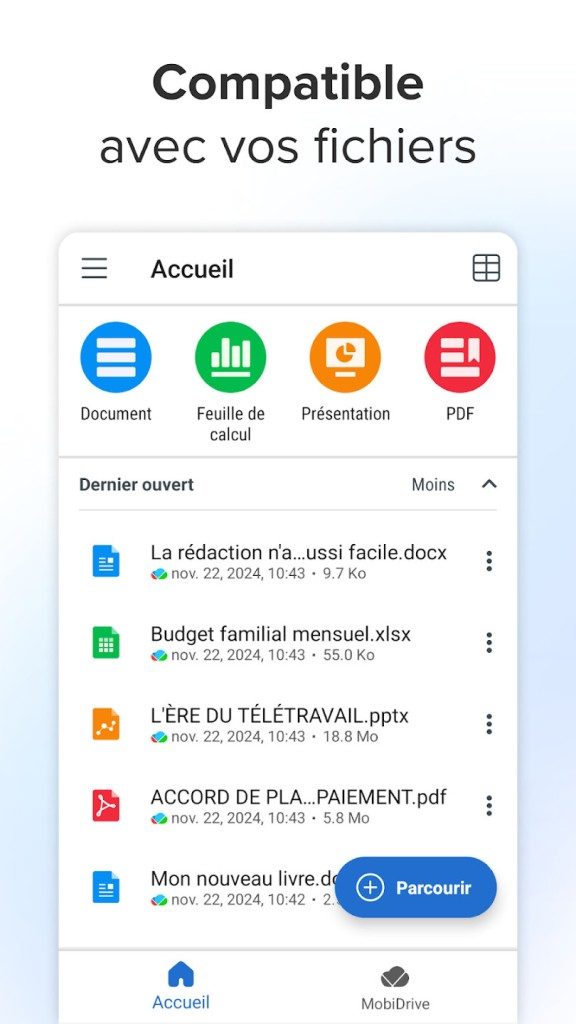
The software supports text documents, spreadsheets, and presentations. It also includes robust tools for managing and editing PDF files. Millions of people have downloaded it globally. Why? Because it is simple. And because it plays nice with Microsoft Office formats. This compatibility is the key selling point for anyone afraid of losing formatting when switching ecosystems.
Creating and Editing on Any Device
The interface is unified. Whether you are on a massive desktop monitor or a tiny smartwatch screen, the experience is consistent. The technical backbone relies on proven technologies to ensure compatibility across Windows, macOS, Android, iOS, and even Apple Watch. This means your files are accessible everywhere.
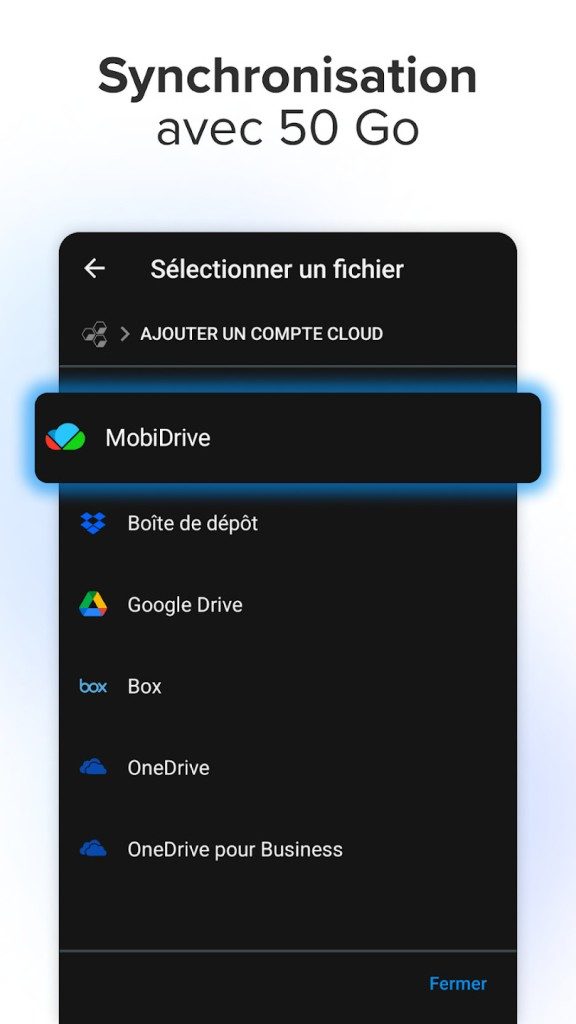
Cloud synchronization is built-in. It integrates with major online storage services so you can grab your work from anywhere. But it is not just about access. It is about collaboration. MobiOffice allows multiple users to work on the same document simultaneously. You see changes in real-time. This is a game-changer for teams. It removes the friction of emailing attachments back and forth.
Security is another pillar. You can set permissions on files. You can encrypt sensitive documents. You can even require enhanced authentication to access the app or shared files. It is not just a productivity tool; it is a secure vault for your work.
Installation and Compatibility Quirks
If you are looking for how to install MobiOffice, the process is straightforward but varies slightly by platform. The developer provides optimized installer files for all major operating systems. You can download it for free from the official website or trusted portals like Futura, which verify file integrity.
For Windows, you get a standard .exe file. It works with most editions of the OS. macOS users receive a .dmg package that integrates cleanly with Apple’s environment. Android users will find it among the most downloaded apps on the Play Store. iOS users can grab it from the App Store for iPhone, iPad, and Apple Watch.
Here is the part that matters for travelers: you do not need an internet connection to create or edit documents. The core features work offline. This is crucial when you are in a plane or a basement with no signal. When you are back online, the cloud sync catches up.
Updating is equally simple. Just go to the app settings or the official download platform. The app will push the latest version to you. This ensures you always have the latest security patches and feature improvements.
The Linux Gap
There is a hole in the coverage. MobiOffice does not natively support Linux. If you are a hardcore Linux user, you are out of luck for a native experience. There are workarounds. You can use emulators or virtual machines. But for the average user, those are too much hassle.
Fortunately, the vast majority of people use Windows, macOS, Android, or iOS. On these platforms, the support is robust. Regular updates keep the software current. Technical support is reliable. The cloud sync ensures your data is safe and accessible.
So, is it a perfect replacement for Microsoft Office? Not entirely. But for most users who need to move files between devices without losing their minds over formatting errors, it is a compelling option. The question is not whether it works. It is whether you are willing to stick with the incumbent just because it is familiar.
There is very little in the software world that is one-size-fits-all. MobiOffice recognizes this reality by offering a tiered ecosystem of licenses and versions. This structure is suitable for everyone from home users to large enterprises.
Choose the MobiOffice license that suits your needs
At the entry level, there is a free version available to the public. This version is serves as a functional showcase. Users can view and edit basic documents and create files in standard formats such as Word, Excel and PowerPoint. Think of this as a trial period that highlights the simplicity and core functionality of the software. It is effective for light usage, but lacks the heavy artillery needed for complex professional workflows.
If you need advanced document processing, premium options are available. These editions give you access to the features you need to run a modern business. You get robust PDF management, format conversion tools, electronic signature insertion and document protection. These premium tiers are not one-time purchases. These are available as subscription or perpetual licenses. Which one you choose depends on your cash flow and your long-term IT strategy.
Why does the license type matter for collaboration?
Professional licenses have distinct advantages compared to the free version. They include dedicated technical support, which can often be the difference between a quick fix and prolonged outage. Integration with collaborative work environments is also a key differentiating factor. Business teams benefit from networking capabilities and centralized access rights management. This ensures that only the right people see the right documents.
Educational institutions and students are not excluded. There are preferential pricing models and can even offer free access through partnerships with universities and training centers. The policy aims to democratize the use of office suite. This allows students to download MobiOffice and use it in academic projects without financial barriers.
Manage updates and compatibility
Your license also determines how updates are handled. Subscribers get the latest innovations immediately. This ensures you always have the latest features and security fixes. However, perpetual license holders have a different rhythm. Patches and updates may be downloaded based on their specific contract terms.
In the corporate IT world, stability often wins over novelty. For organizations with certain compatibility limitations or heterogeneous hardware fleets, using the absolute latest software can be risky. MobiOffice addresses this by allowing users to download older versions. They are usually available in a separate section of the official website or through partner platforms. This flexibility provides peace of mind for IT managers who need stability across diverse systems.
Maximize your productivity with MobiOffice
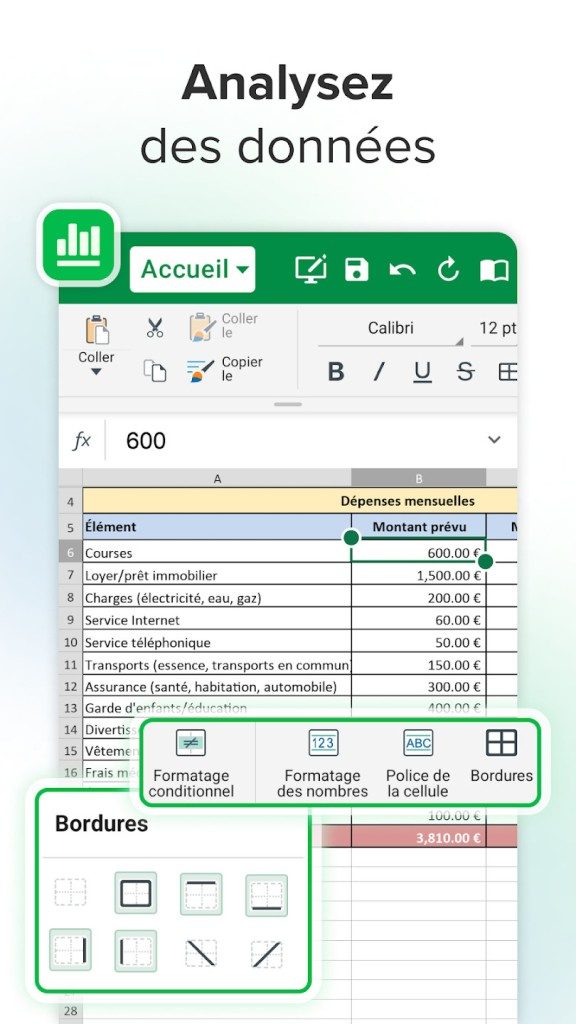
The functionality of MobiOffice is very extensive. It can handle everyday tasks like creating reports and tracking budgets, as well as more ambitious projects like complex presentations and advanced document management with PDF annotations.
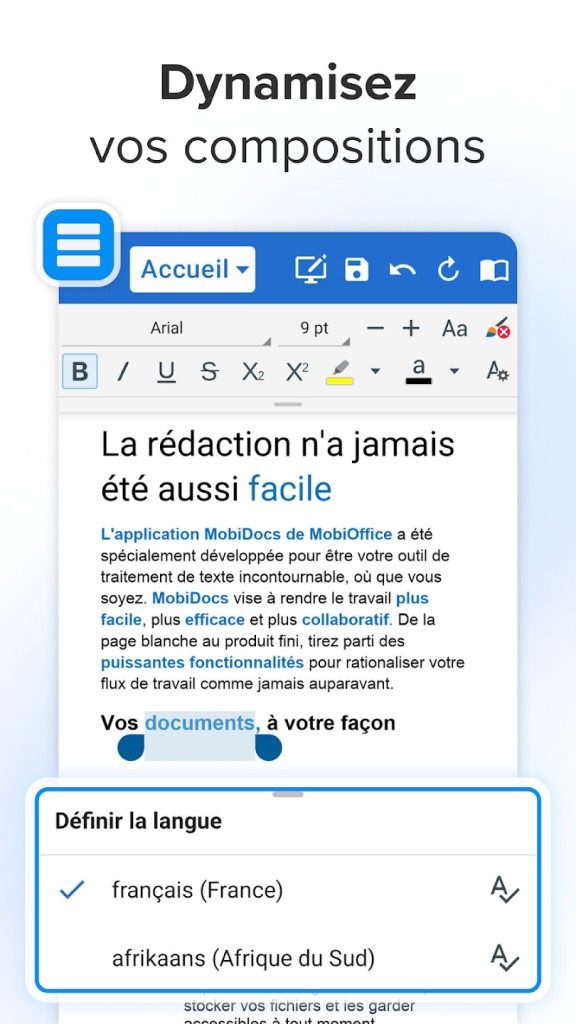
The word processing module is comprehensive. It goes beyond simple text formatting. You can include tables, graphs, images and hyperlinks. Also includes spell check. The spreadsheet module corresponds to this depth. Provides simple data series management, automatic calculations and graph generation. Import and export functions support both open and proprietary formats, so you’re never locked into one ecosystem.
Collaboration and Accessibility Features
Editing is only half the equation. Modern office suites excel in collaboration. MobiOffice facilitates this with annotations, comments and change history tracking. This works no matter where your team members are. When everyone is working on shared, version-controlled documents, geographic distance becomes irrelevant.
Cloud sync is a game changer for mobile workers and students. Files sync across terminals. Watch presentations on your smartphone and finalize a report on your tablet. The continuity of activity is maintained. No more frantically emailing attachments or worrying about losing changes.
Learning resources and Future-Proofing
Mastering the software is easier when you have the right resources. MobiOffice offers extensive documentation and practical guides. An active online help system is available. Free video tutorials are available for those who prefer to learn visually. Official training partners also offer structured courses.
These resources help users progress from beginners to experts. They optimize the use of advanced functions and prepare users to recognized office certifications. Whether your goals are professional, academic or personal, the suite is designed to support you.
Continuous monitoring of software development ensures compatibility with the newest document standards. Security and ergonomic improvements are made regularly. This continuous development makes MobiOffice a solid choice for users looking for an powerful and flexible office suite. It’s more than just a tool. It’s an ecosystem that grows with your needs.
But will it replace … entirely your current workflow or just sit alongside it as a safety net? It depends on how much you value flexibility over familiarity.
System Requirements and Compatibility
MobiOffice, which the developer MobiSystems has technically called OfficeSuite, operates in the freemium area. Basic features are available for free, but use of the entire suite requires a one-time purchase or recurring subscription. The software is distributed through the official MobiSystems website and the standard app store of each platform.
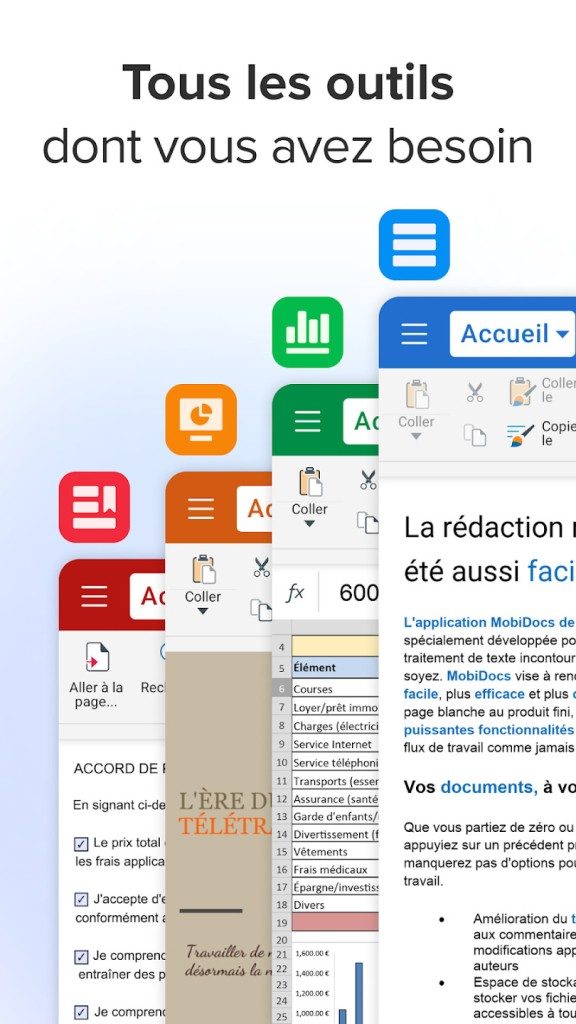
It’s a multi-platform beast. It can be installed on Windows and macOS and used on the desktop. Android and iOS/iPadOS handle mobile. There’s also a watchOS companion app. This is more than just a mobile port. It supports x86/x64 architecture for desktop computers and ARM architecture for mobile devices. There is also extensive language support such as English and French.
File support and Offline Capabilities
Format support is where the tools try to keep up to date. It handles the Microsoft standards: DOC/DOCX, XLS/XLSX, PPT/PPTX. You can also open PDF files. OpenDocument formats such as ODT, ODS and ODP are supported. You can import standard images such as JPG and PNG. RTF, TXT and CSV files are also included in the list.
This is an important nuance for your workflow. Offline editing can be done locally. Write, edit and save without an internet connection. However, if you want to collaborate in real time and sync changes between different devices, you need to be online. The software handles local backups and integrates with popular cloud services to bridge the gap.
Security and Licensing Model
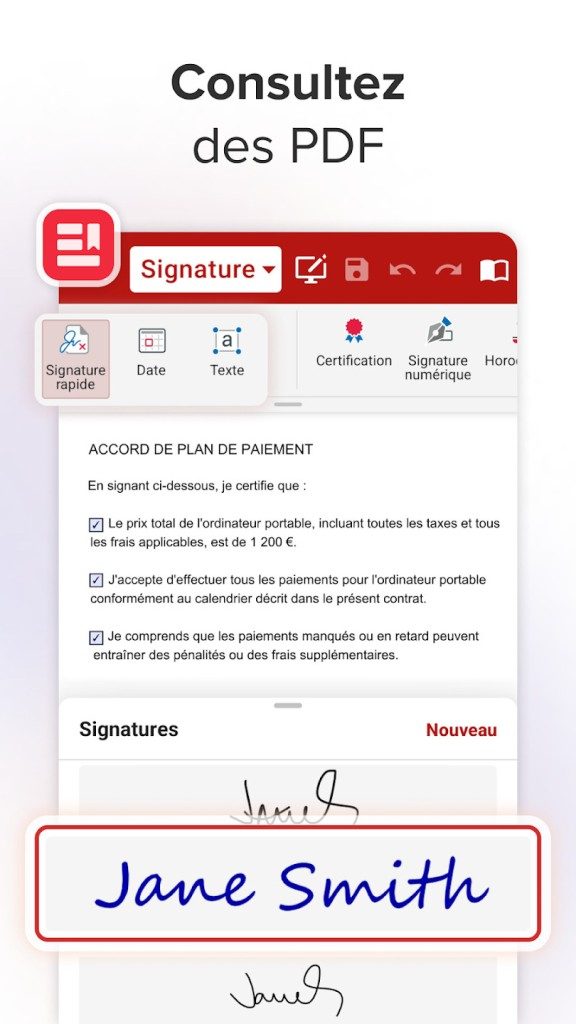
Password protection ensures the security of the documents. The encryption meets the compatibility requirements of the standards. You can control other users’ access to your files. Built-in PDF annotation tools.
The documentation does not list specific hardware requirements. All you need is a system with a supported operating system. The size of the installer varies depending on the platform and version being downloaded. This is not a lightweight script. This is the full office suite.
“Offline editing works locally. You can write, edit and save even if you are not connected to the Internet.”
Who Should Use This Suite?
The target audience is wide. Individual users, students and professionals can integrate it into their environment. The goal is to find out if it’s a good fit for your creation, editing, and sharing needs. Works on desktops and mobile devices.
If you need to open an old RTF file on your iPad while commuting, this app can do it for you. If you need to password protect your PDF file before sending it to your client, it has that feature. The compromise is a subscription model for advanced features. You pay for convenience and device compatibility.
The ecosystem is closed enough to keep your data safe, but open enough to import common file formats. It does not claim to replace enterprise-grade solutions. It bridges the gap for users who need to transfer documents between Windows, Mac and mobile devices without losing formatting.
Does it matter if my colleagues use different operating systems? As long as you stay in standard formats, it doesn’t matter. Syncing is cloud-based, so your internet speed determines your collaboration experience. The local engine is powerful enough to handle heavy lifting even if the connection is lost.

The last mile of integration
The final hurdle isn’t coding, it’s connectivity. You can have the cleanest architecture in the world, but it’s nothing if the API handshake fails. This is where most projects get stuck. The difference between “works on my machine” and “works on all machines” is due to authentication errors and rate limits.
Why APIs fail at scale
This is rarely logic. This is a edge cases. As traffic increases, you don’t just get more requests. they get noisy.
- Timeouts happen. The client waits. The server is busy. The connection is lost.
- Retries multiply. A failed request will trigger a retry. A retry will result in another failure. Suddenly the load increases tenfold.
- ** Cascading failure.** Slow dependencies can crash the whole chain.
This is why resilience is not an option. It’s the difference between a minor glitch and a complete outage.
如何建立韧性
不要抱有最好的希望。 做最坏的打算。
- 断路器。 停止向失败的服务发送请求。 给它时间恢复。
- 重试策略。 使用指数退避。 切勿立即重试。 让尘埃落定吧。
- 隔板。 隔离组件。 如果其中一个失败了,它不应该影响其余的。
这些并不是什么花哨的功能。 它们是基础知识。 忽略它们,后果自负。
人为因素
技术很容易。 人们很难。 您的团队需要了解“为什么”这些模式存在。 不仅仅是“如何”实施它们。
- 文档。 保持更新。 过时的指南比没有指南更糟糕。
- 监控。 对异常情况发出警报,而不仅仅是阈值。
- 事后分析。 责怪过程,而不是人。 从中学习。
你从哪里开始?
如果您仍在进行手动检查,请从这里开始。 自动化基础知识。 测试您的故障场景。 在预发环境破坏系统。 了解它们是如何断裂的。
这与完美无关。 这是关于进步的。
“获得可靠软件的唯一方法是停止假装网络不会出现故障。”
开放问题
您已经构建了系统。 您已经测试了韧性。 现在怎么办?
用户体验仍然只是一个承诺。 你必须交付它。 每天。
代码完成了。 工作才刚刚开始。