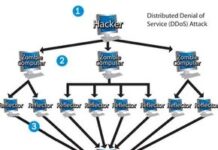
It feels like a paradox. These digital pathogens are proof of how fragile our digital infrastructure is, yet they also stand as monuments to how complex our global connectivity has become. A single line of malicious code can halt enterprise operations and cost billions. The Mydoom worm infected roughly 250,000 machines in just one day back in January 2004.
Consider the scale. The Melissa virus forced Microsoft and other major corporations to sever their email links entirely in March 1999. The ILOVEYOU outbreak in 2000 did the same. By October 2007, the Storm worm had compromised up to 50 million computers. These aren’t just statistics. They are evidence of a world where a simple script can bypass corporate firewalls and rewrite reality for millions of users.
Understanding the Spectrum of Electronic Infection
Most people use “virus” as a catch-all term for any digital threat. That is lazy. It is also dangerous. To protect yourself, you need to know exactly what you are dealing with. The ecosystem of malicious software is segmented into distinct categories, each with its own replication strategy and target profile.
What is a Traditional Computer Virus?
A standard virus is a parasite. It cannot run on its own. It must attach itself to a legitimate host program. Imagine a spreadsheet application. You open the file. The spreadsheet loads. The virus triggers.
It waits. It watches. Then it reproduces. It attaches itself to other files, other programs. Every time a user opens the infected host, the cycle repeats. It is a slow burn. It relies on human interaction. You have to click. You have to run the program. It is old-school, in a way. Simple, but effective if you are careless.
How Email Viruses Spread Automatically
Email viruses are the fast lane. They travel as attachments. When you open the email, the infection takes hold. Some require you to double-click the file. Others are sneakier. They execute as soon as you view the message in the preview pane of your email client.
Think about that. You don’t even have to open the attachment. You just have to look at the email. The virus then scans your address book. It copies itself. It sends itself to dozens of contacts. Those contacts look at the preview. They get infected. The chain reaction is automatic. It exploits trust. It exploits convenience.
The Deception of Trojan Horses
A Trojan horse is different. It does not replicate. It does not spread itself. It is a standalone program. It lies. It claims to be something you want. A game. A utility. A free movie download.
You download it. You install it. You run it. The damage happens. It might erase your hard disk. It might steal your passwords. It is a one-way street. The Trojan horse relies entirely on social engineering. It needs you to invite it in. Once inside, it does whatever damage the creator intended. No replication. Just destruction.
Worms: The Autonomous Network Invader
Worms are the most dangerous because they do not need you. They do not need a host file. They do not need an email attachment. They use computer networks and security holes to replicate themselves.
A worm scans the network. It looks for a specific vulnerability. It finds a machine with that hole. It copies itself over. It executes. It then starts scanning for more machines. It repeats the process. It is autonomous. It is fast. It is terrifying.
Why This Distinction Matters for Your Security
Knowing the difference between a virus, a worm, and a Trojan horse is not academic. It is practical. It dictates how you defend your system.
- Viruses require you to run a program. Avoiding suspicious files helps.
- Email viruses require you to view or open attachments. Disabling preview panes and scanning attachments is key.
- Trojans require you to download and install software. Questioning the source of software is essential.
- Worms require a network vulnerability. Keeping systems patched is the only real defense.
Computer viruses carry the name for a specific biological reason. They don’t just sit there. They migrate. Like a flu strain moving through a crowded subway car, a digital virus jumps from one machine to the next. But unlike a biological pathogen, it can’t replicate on its own. A virus lacks the machinery to copy itself. It needs a host.
Biological viruses inject their DNA into a cell. They hijack the cell’s internal systems to force it to produce more of them. Sometimes the cell bursts, releasing a swarm. Other times, the new particles bud off gently, leaving the host alive but compromised.
Computer viruses do the same. They need to piggyback. They hide inside legitimate programs or documents. Once that host file is executed, the virus wakes up. Then it starts looking for other files to infect. The analogy isn’t perfect. Code doesn’t bleed. But the mechanics of hijacking and replication are close enough that the term stuck.
Who writes these things?
People. Always people. Someone codes the payload. Someone tests the spread. Someone designs the payoff. Maybe it’s a prank. Maybe it’s total data destruction. The motives vary wildly.
The Psychology Behind the Code
There are at least four distinct drivers behind virus creation. The first is pure vandalism. It’s the same impulse that drives someone to key a car or spray-paint a wall. For some, the thrill is in the chaos. If that person knows how to code, they might channel that destructive energy into malware.
Then there’s the spectacle. Some creators are fascinated by the mechanics of collapse. Think of the kid who used to mix chemicals in the garage to make small explosions. The bigger the boom, the more attention. A virus is a digital bomb. The more systems it infects, the louder the explosion. For the creator, watching the infection spread is the reward.
Bragging rights form the third motive. It’s a digital arms race. If a programmer spots a security flaw, they might feel compelled to exploit it first. Not to sell it. Not to destroy it. Just to prove they could. It’s like climbing a mountain that no one else has scaled. The glory is in the act itself.
And then there is money. Cold, hard cash. Viruses can steal identities. They can lock systems for ransom. They can trick users into buying fake security software. Powerful viruses are valuable assets on the black market. They are tools that pay dividends.
Most creators seem to ignore the human cost. They see code. They see a challenge. They don’t see the small business owner who loses years of data. They don’t see the hours IT staff spends cleaning up the mess. Even a “silly” message causes real damage by wasting time and resources. Because of this, the legal system has gotten tougher. Penalties are increasing. But the incentive structure remains complex.
Patch Tuesday and the Zero-Day Window
Every month, on the second Tuesday, Microsoft releases security updates. This day is known as Patch Tuesday. The company lists known vulnerabilities in Windows and provides patches simultaneously. It’s a scheduled maintenance event for millions of systems.
Hackers know this schedule. They time their attacks to hit systems that haven’t updated yet. When a virus is launched specifically to exploit unpatched systems on this day, it is often referred to as a zero-day attack. The term “zero-day” implies a vulnerability that developers are unaware of, but in this context, it highlights the window of exposure between the public disclosure of a flaw and the widespread application of the fix.
“If you keep your software up to date and patch your system promptly, you shouldn’t have to worry about zero-day problems.”
Anti-virus vendors work closely with Microsoft to anticipate these holes. They have early access to patches. They update their detection signatures quickly. The strategy is straightforward: patch promptly. Delay, and you become an easy target.
The history of viruses shows a clear evolution. From simple pranks to sophisticated financial crimes, the technology has matured. But the underlying mechanics remain the same. Exploit. Spread. Benefit.
The next phase of this story looks at how these threats have changed over time.
The late 1980s didn’t just give us synth-pop and shoulder pads. It gave us the modern computer virus. Not the subtle background trackers of today, but the raw, self-replicating code that would define digital security for decades.
Three distinct forces collided to create this digital plague. You had the hardware. You had the distribution channels. And you had the media.
The Hardware Explosion
Before the 1980s, computers were institutional giants. They lived in server rooms, guarded by experts. The average person didn’t touch one. That changed with the IBM PC in 1982 and the Apple Macintosh in 1984.
Suddenly, real computing power was sitting on desks in homes, colleges, and businesses. The user base exploded. More targets. More curiosity. More opportunity for bad actors.
The Bulletin Board Era
How did software move in those days? Dial-up.
Users connected to Computer Bulletin Boards (BBS) using modems. They downloaded everything from games to word processors. This was the precursor to the internet, but it was slow, personal, and community-driven.
This environment birthed the Trojan horse.
A Trojan isn’t a virus in the self-replicating sense. It’s a scam. It hides inside a legitimate-looking program—a “cool-sounding” game or utility. You download it. You run it. And instead of launching the game, it wipes your hard drive.
Trojans were dangerous, but limited. Because the community was tight-knit, word spread fast. If one person got burned, everyone knew to avoid that specific BBS or file. Detection was quick. Reputation was the antivirus.
The Floppy Disk Vector
The real engine of viral spread was the floppy disk.
In the ’80s, software was tiny. An entire operating system, plus several apps and documents, fit on one or two 5.25-inch or 3.5-inch disks. Many machines had no hard drive at all. You booted straight from the disk.
Virus authors realized they could embed malicious code into legitimate programs.
Here is how it worked:
1. You download a game.
2. The game runs. The embedded virus loads into memory.
3. The virus scans the disk for other executable files.
4. It infects them by appending its own code.
5. It launches the original game.
You never knew anything was wrong. But now, you had two infected programs. Run either one, and the cycle continues. Share a disk with a colleague, and you’ve just infected their machine.
It’s biological replication, but digital.
The Trigger
Replication is annoying. Destruction is malicious.
Most viruses included a destructive payload. A trigger would activate it. Maybe it was a specific date. Maybe it was the virus having replicated 100 times.
The result ranged from harmless pranks (a message on screen) to catastrophic data loss (erasing the drive). The threat was real. The spread was easy.
The Decline of Classic Viruses
Virus writers adapted. They learned to load into memory early, staying resident while the computer ran. They targeted the boot sector —the tiny piece of code that starts the OS.
Boot sector viruses were nasty. They guaranteed execution. Insert a floppy, and the virus ran before the operating system even loaded. On college campuses, where students swapped disks constantly, these spread like wildfire.
But this era is effectively over. Why?
Habitat Loss
The environment that supported these viruses has vanished.
Software grew. Programs became massive. You couldn’t fit a modern Windows installation on a floppy. The distribution medium changed from traded disks to compact discs (CDs).
CDs are read-only. You can’t write to them. You can’t easily modify the files inside. This made traditional executable and boot sector viruses nearly impossible to propagate via commercial media. Unless the manufacturer burned a virus in during production (rare and traceable), the CD remained clean.
OS Security improved. Modern operating systems lock down the boot sector. They don’t let just any program take control of the hardware at startup.
We aren’t safe. We’re just in a different ecosystem. The shrinking habitat of floppy disks and weak permissions killed the classic virus model.
Today, the attack surface moved. It moved to email.
How Early Email Viruses Hijacked Your Inbox
The shift from isolated malware to network-destroying email viruses marked a turning point in digital security. Authors stopped writing code for fun and started writing for impact. The result was a wave of destruction that forced IT departments to hit the pause button on entire corporate email ecosystems.
Take the Melissa virus from March 1999. It was a masterclass in social engineering wrapped in a Microsoft Word document. The attack vector was simple: a user uploaded an infected .doc file to an Internet newsgroup. When someone downloaded and opened it, the magic happened. The virus used Visual Basic for Applications (VBA) —the programming language built into Office apps—to automate a spam blast. It pulled the first 50 email addresses from the victim’s address book and sent the infected document to each one.
The email didn’t look malicious. It included the recipient’s name in the greeting. Trust, it turned out, was the vulnerability. Once opened, the script ran, sent its own 50 emails, and then infected NORMAL.DOT, the global template file. Every new Word document created after that contained the virus. It spread faster than anything seen before. Large companies had to shut down email servers just to stop the bleeding.
Then came ILOVEYOU in May 2000. This one was even cruder. It disguised itself as a text file with a double extension: LOVE-LETTER-FOR-YOU.TXT.vbs. Users saw the .txt extension, trusted the name, and double-clicked. The .vbs part executed a script that didn’t just send itself to the entire address book; it overwrote files on the victim’s hard drive. It was less a virus in the traditional sense and more of a Trojan horse. It relied entirely on human curiosity and a lack of understanding about file extensions.
Why Macro Protection Failed
Both Melisa and ILOVEYOU exploited features Microsoft intended to help users, not hurt them. Macro Virus Protection was supposed to be the shield. By default, it is turned on, disabling the auto-execute feature of VBA macros. When an infected document tries to run code on open, a warning dialog appears.
So why did Melissa win?
Because people ignore warnings. Many users didn’t know what a macro was. They saw a dialog box interrupting their workflow, clicked “Enable Macros,” and walked away. Others actively turned off the protection, believing they were smart enough to only open trusted files. The safeguard existed, but the human element broke the chain.
This pattern repeats across communication channels. Instant messaging networks like AIM and Windows Live Messenger became vectors for the same exploits. A hacker hijacks an account, sends a link to friends claiming it’s funny or interesting, and anyone who clicks installs a Trojan. Suddenly, the victim’s own contacts get spammed by their compromised account. The trust network is the attack surface.
Phishing and the Human Layer
With email viruses covered, the threat landscape moved from code execution to deception. Phishing and social engineering represent a different kind of risk. It’s not about finding a bug in the software; it’s about finding a bug in the user.
Social engineering is simply the art of manipulating people into giving up personal or financial information. Whether online or in person, the goal is theft. Spammers use sophisticated filters to catch bulk emails, but they can’t filter for trust. The U.S. Computer Emergency Readiness Team (US-CERT) advises that the best defense is skepticism. Never give out sensitive data online, no matter how legitimate the request appears.
The next phase of malware evolution moves beyond attaching to emails. We’re looking at worms —malware that replicates itself across networks without human interaction. The era of clicking links is over. The era of autonomous spread has begun.
A worm is a standalone computer program that copies itself from machine to machine. It doesn’t need to attach itself to an existing file like a virus. Instead, it uses processing time and network bandwidth to replicate. Often, it carries a payload that causes real damage.
The Code Red worm made headlines in 2001. Experts predicted it would clog the Internet so effectively that everything would grind to a halt.
Worms typically exploit security holes in software or operating systems. The Slammer worm, which caused mayhem in January 2003, exploited a flaw in Microsoft SQL Server. Wired magazine later took a fascinating look inside Slammer. The program was tiny—only 376 bytes.
How Worms Spread at Scale
Worms move through computer networks. A network allows a single copy to expand incredibly quickly. Code Red replicated itself more than 250,000 times in about nine hours on July 19, 2001.
It slowed Internet traffic, but not as badly as predicted. Each copy scanned for Windows NT or Windows 2000 servers without Microsoft security patches. When it found an unsecured server, the worm copied itself there. The new copy then scanned for others. Depending on the number of unsecured servers, a worm could create hundreds of thousands of copies.
Code Red had instructions to do three specific things:
- Replicate itself for the first 20 days of each month
- Replace web pages on infected servers with a page reading “Hacked by Chinese”
- Launch a concerted attack on the White House website
Upon infection, Code Red waited for the appointed hour. It then connected to the www.whitehouse.gov domain. The attack involved infected systems simultaneously sending 100 connections to port 80 of www.whitehouse.gov (198.137.240.91).
The U.S. government changed the IP address for www.whitehouse.gov to circumvent the threat. It also issued a general warning, advising Windows NT or Windows 2000 web server users to install security patches.
The Storm Worm and Botnets
A worm called Storm appeared in 2007 and quickly made a name for itself. It used social engineering to trick users into loading it. It was effective. Experts believe between 1 million and 50 million computers were infected.
Anti-virus makers adapted to Storm. They learned to detect the virus even as it changed forms. It was one of the most successful viruses in Internet history. It could rear its head again. At one point, Storm was responsible for 20 percent of the Internet’s spam mail.
When Storm launched, it opened a back door into the computer. It added the infected machine to a botnet. It also installed code to hide itself. Botnets are small peer-to-peer groups. They are not larger, more easily identified networks.
Experts think people controlling Storm rent out their micro-botnets. They use them to deliver spam or adware. They also use them for denial-of-service attacks on websites.
The Shift in Threats
Viruses of all kinds were a major threat in the early years of the Internet’s growth. They are still out there. But since the mid-2000s, anti-virus software has improved. Web browsers and operating systems have become more secure.
Will the big threat of the 2010s be levied against smartphones rather than PCs?
Why the Viral Apocalypse Didn’t Happen
The early 2000s felt like the wild west of digital hygiene. Worms and exploits like Storm didn’t just annoy users; they crippled infrastructure. Why did that era feel so much more dangerous than today? It comes down to a perfect storm of user ignorance, expensive and clunky antivirus tools, and software architectures that were wide open to attack. Internet Explorer 6? A joke. It took over a decade to even begin patching its gaping security holes.
People know better now. We have free antivirus solutions like AVG and Avast that don’t cost a penny. Modern browsers like Chrome and Firefox are built with security as a core feature, not an afterthought. Sure, Downadup still infected millions in 2009, but the response time has shrunk dramatically. Antivirus databases update daily, sometimes multiple times a day, tracking every new Trojan and worm mutation. You can look at Avast’s virus update history to see the sheer volume of code they’re blocking constantly. We haven’t eliminated the threat; we’ve just gotten really good at managing it.
The Mobile Shield and Platform Wars
There is a common misconception that mobile devices are immune. They aren’t. But they are harder to infect than a Windows PC. Why? Because viruses are platform-specific. The code that breaks Windows won’t touch macOS, let alone iOS or Android. The underlying architectures are completely different.
Apple’s iOS remains a walled garden. It’s closed source, which makes it significantly harder for malware to find an entry point. Android, being open source, is more vulnerable. We’ve seen viruses that can extract personal data from Android phones, but as of 2011, mobile malware is still a minor concern compared to the desktop threat. Windows remains the juiciest target because it has the largest market share. But as smartphone sales climb, expect mobile viruses to become more sophisticated. For now, though, your phone is safer than your laptop.
How to Protect Your Computer from Viruses
You don’t need to live in fear. A few disciplined habits keep you safe from traditional malware.
1. Choose Your OS Wisely
If you’re genuinely paranoid about viruses, switch to Linux or Mac OS X. These platforms face far fewer threats simply because they hold a smaller market share. Hackers follow the money. Apple’s OS X has seen its share of issues, but the vast majority of viral activity is still targeted at Windows.
2. Use Free Antivirus Software
If you stick with Windows, install antivirus software. There are plenty of free options available online. It’s a basic safeguard that most people overlook until it’s too late.
3. Stick to Trusted Sources
Avoid programs from unknown websites. Stick to commercial software purchased on CDs or from reputable vendors. This eliminates almost all risk from traditional file-based viruses.
4. Disable Macros
Turn on Macro Virus Protection in all Microsoft applications. Never run a macro in a document unless you know exactly what it does. There is rarely a good reason to include macros in a file. Avoiding them entirely is the safest policy.
5. Beware of Executables
Never double-click an email attachment that is an executable file. Files like .DOC, .XLS, or .GIF are data files—they can’t run code on their own (unless you enable macros, see point #4). But files with extensions like .EXE, .COM, or .VBS? Those are programs. Once you run them, you’ve given them full permission to do whatever damage they want. Some viruses have even learned to hide inside .JPG files, so stay vigilant.
By following these steps, you can maintain a virus-free system. The threat landscape is shifting, but the basics haven’t changed: be skeptical, stay updated, and don’t click what you shouldn’t.
For more deep dives into computer security, check the links on the next page.
Frequently Answered Questions
What is a virus in a computer?
A virus is a type of malicious software (malware) that attaches itself to a legitimate program or file. It replicates by inserting copies of itself into other programs and data files. If left unchecked, it can corrupt data, delete files, or crash your system.