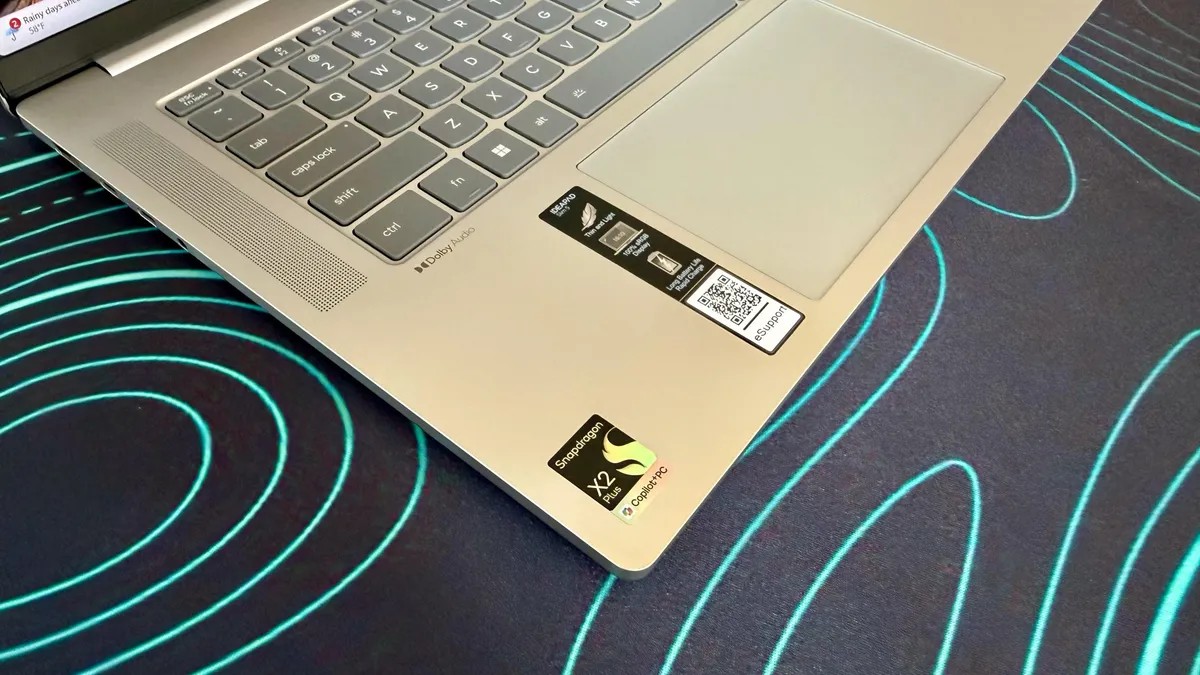
It is a sub-$1,000 machine. The Lenovo IdeaPad Slim 5x builds around Qualcomm’s Snapdragon X2 Plus chip, hitting Microsoft’s bare minimum requirements for a Copilot Plus PC: 16GB of RAM. The goal? Long battery life, quiet operation, and a thin chassis for office drones who want efficiency over flair.
It does a lot right. For standard work—email, streaming, browsing—it feels snappy and cool thanks to that ARM-based design.
But don’t expect a miracle. The same software compatibility issues plague most Windows-on-ARM laptops, holding this back from being an easy recommendation. Gaming? Forget it. The integrated Adreno GPU offers average performance at best.
The size feels like a tweener. 15.3 inches sits awkwardly between the common 14 and 16 inch sizes. The Acer Aspire 17 gives you more screen for less money and similar weight. The HP OmniBook 5 15 is smaller and has even better battery life.
The IdeaPad Slim 5x’s main defense? It’s the newest of this specific budget trio. Its Snapdragon X2 chip outruns the older X1 processors in the HP and Acer models. It sits in the middle of Lenovo’s IdeaPad family, sandwiched between Intel/AMD options and the more premium 3x and 7 series. The 7 series sometimes sports the mighty Snapdragon X Elite. This has the “Plus.”
Pricing and Upgrades
Starting price: $850 in the US. £1,319 in the UK. AU$1,680 in Australia.
We tested the entry-level model. Upgrading RAM to 32 GB costs $289. Yes. You read that right. Storage jumps from 512 GB to 1 TB for $150. Expensive, but typical in this “RAMageddon” era.
Two upgrades actually make sense.
One, the display. Swapping the base 1,920 x 1,20 IPS panel for a 2.5k, 165 Hz OLED panel costs only $32. You gain massive pixel density and better contrast. The downside? No touchscreen on the OLED version. The cheaper IPS has touch. It is a no-brainer unless you need that glass touch capability.
Two, the battery. For just $9.50 you can go from a 62 watt-hour pack to an 89 watt-hour unit. More capacity is always good.
Performance: Efficiency Over Power
The Snapdragon X2 Plus (X2P-42-85) is tuned for efficiency, not raw speed.
In daily use? It feels quick. Apps launch fast. With 16 GB of RAM, multitasking doesn’t stutter. Browser tabs, Office apps, and streaming run smoothly. It benchmarks well against other budget machines.
Push it harder? That’s when you hit a wall.
The Adreno graphics handle light creative work okay. Serious gaming or sustained heavy rendering? This laptop chokes. It is an office worker’s tool, not a gamer’s rig.
Battery life is where it shines. Our web-surfing test got us 14.5 hours. It fell short of the Acer Aspire 3 (which lasted nearly an hour longer) and the HP OmniBook 4 (which ran almost four hours longer). But it destroyed the competition among Intel and AMD laptops in this price bracket, like the IdeaPad 3 390 and the Dell 7 Plus.
There are catches. Software compatibility isn’t 100%.
I tried my usual VPN. It failed to function. Likely a driver issue. I tried running Valorant. The Riot Vanguard anti-cheat is kernel-level and refuses to run on ARM. It’s incompatible. Before you buy, check if your essential apps have native ARM versions. There’s a compatibility checker for Windows on ARM if you need to verify.
Windows-on-ARM has improved, but niche drivers and anti-cheat software still pose major hurdles.
Build: Functional, Not Fabulous
It is a practical design. Solid. Not premium. The lid doesn’t scream luxury, which matches the price tag.
Weight comes in around 3.5 lbs (1.58 kg). Heavier than the HP OmniBook 3 57 at 3 lbs, but lighter than the Acer Aspire at nearly 4 lbs. It’s portable enough, but not featherweight.
The keyboard gets breathing room thanks to the wider chassis. The keys feel responsive enough, even if the low-profile chiclets lack the thocky sound enthusiasts love. The touchpad is large and accurate. No glass slickness here, but it works.
The base IPS screen is actually quite good. Bright. Accurate colors. Our Spyder colorimeter read 350 nits. Full sRGB coverage. 57% AdobeRGB. It handles photos and movies well enough. The anti-glare coating works. Touch support is a nice bonus for a cheap machine.
Audio is where things fall apart.
The dual speakers are tinny. Crusty, actually. At max volume they distort and the treble becomes piercing. Not ideal for video calls or movies. The 720p webcam? Grainy. It struggles with fast movement and doesn’t hold up well when zoomed in. You will likely use a separate cam.
Connectivity is a mixed bag. You get two USB-A ports, an HDMI, a microSD slot, and two USB-C ports. Sounds good.
Those USB-C ports? They are slow. Only USB 3.2 (10 Gbps). No Thunderbolt 4 here, meaning you won’t see those blazing fast data transfer speeds if you plug in an external drive. A disappointing omission.
Verdict
Who is this for? Students and office workers. It is portable, quiet, and lasts a full day. It doesn’t shout for attention. It just does the work.
The catch is mediocrity. It isn’t terrible. But it isn’t excellent. The battery is great, but not the class-leading option like the HP. The screen is decent, but why not spend $32 for OLED?
It is a compromise package. Buy it if you want cheap AI specs and ARM efficiency. Run for the hills if you play games or use proprietary enterprise software.
Will the next Windows update fix the driver issues? Probably not anytime soon.
You pay the price for cheap efficiency. The question remains.
Is $850 too much for a laptop that mostly works?