Most people shoot JPEG. They trust the camera to make the decisions. Compress the data. Lose the nuance. It’s convenient. It’s lazy. Or so you tell yourself until you try to edit a shadow and realize the image has already broken.
RawTherapee exists to fix that.
It is not a toy. It is a powerhouse of an open-source application designed for people who want control. Real control. Not the “apply this preset” kind. The “I need to adjust the chromatic aberration on lens X at f/2.8” kind. If you have ever felt trapped by the limitations of your camera’s default processing, this is your escape route.
Why Shoot Raw and Why This Software?
The core argument for shooting in RAW format is simple: data retention. JPEGs discard information to save space. RAW files keep everything the sensor captured. It is a digital negative.
But a RAW file is useless without software to interpret it.
Enter RawTherapee. It rivals heavy hitters like Adobe Lightroom or Capture One, but it asks for nothing in return. It is free. It is open-source. And it is surprisingly robust.
The software supports a vast array of proprietary RAW formats. Almost every major manufacturer is covered. If you shoot Canon, Nikon, Sony, Fuji, or Panasonic, your files will open. You are not locked into an ecosystem. You are not paying monthly fees for access to your own photos.
The Non-Destructive Philosophy
Here is what actually matters in daily editing: non-destructive processing.
Every adjustment you make in RawTherapee is temporary. The original file remains untouched. You can tweak exposure, white balance, noise reduction, and color correction until the cows come home. Change your mind? Undo it. Try a different curve? Go for it. There is no fear of “saving” and ruining the source.
This allows for experimentation. Dangerous experimentation. You can push shadows too far. You can blow out highlights. The software won’t stop you. But because the original data is safe, you can always reset and start over. This freedom leads to better images. You stop being afraid of the sliders.
Advanced Tools for Serious Work
It is not just about basic exposure. RawTherapee includes tools that professionals expect.
- Lens Correction: Fix distortion and vignetting automatically or manually.
- Batch Processing: Edit hundreds of images at once. Save hours.
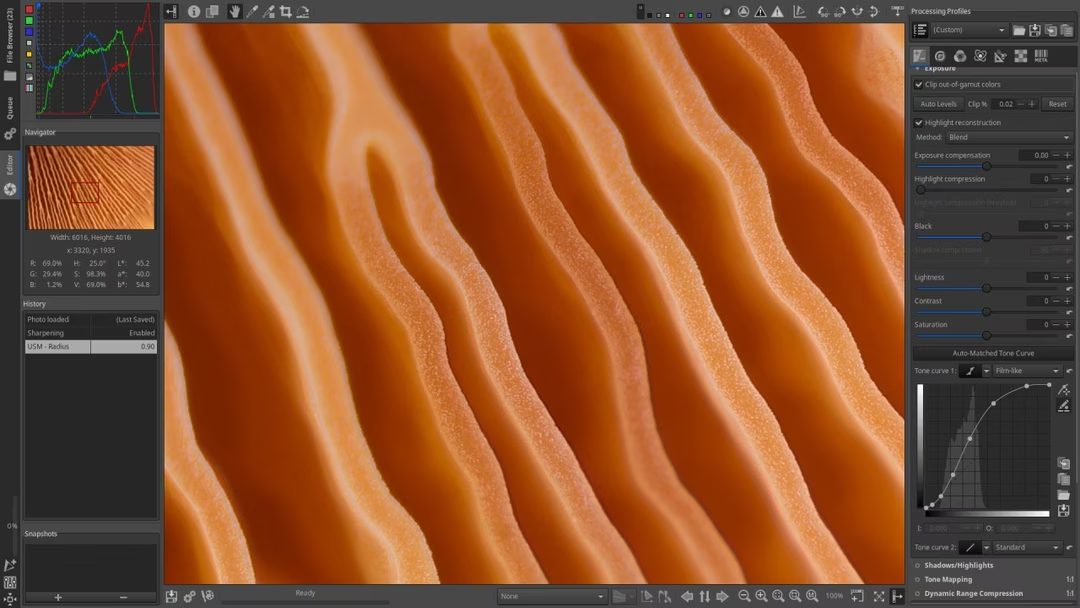
- Custom Curves: precise control over tonal response.
- Noise Reduction: Advanced algorithms to clean up high-ISO shots.
These features are not afterthoughts. They are central to the workflow. The software handles large libraries with grace. It does not crash when you load fifty 50MP files. It just works.
Installation and Accessibility
RawTherapee runs on Windows, macOS, and Linux. If you are on Windows 7, 8, 10, or 11, you are covered. macOS users get a native experience. Linux users get full compatibility. The portability is a huge plus.
You can download the installer from the official site. It is safe. It is stable. The process is guided. No technical expertise required. Click next, click install, done.
But there is a better option for some: the portable version.
The Portable Advantage
The portable version requires no installation. You can put it on a USB drive. Take it to a friend’s computer. Load your images. Edit. Unplug. Your settings and files move with you. This is crucial for photographers who switch machines frequently or work in environments where software installation is restricted.
It offers consistency. Your workflow is yours, not the IT department’s.
Keeping It Updated
Software improves. Bugs get fixed. New camera models release every year. Old RAW formats get outdated.
RawTherapee updates regularly. The community behind it is active. They add features. They refine the interface. They fix the quirks.
You must update manually. Download the new version from the official source. Replace the old one. It is a small effort for significant gains. New camera support is the biggest benefit. If you just bought a new camera and RawTherapee cannot open your files, you need an update.
Older versions are available in archives. Useful for legacy systems. Or if you have a specific project that breaks on the latest build. Rare, but possible.
Who Is This For?
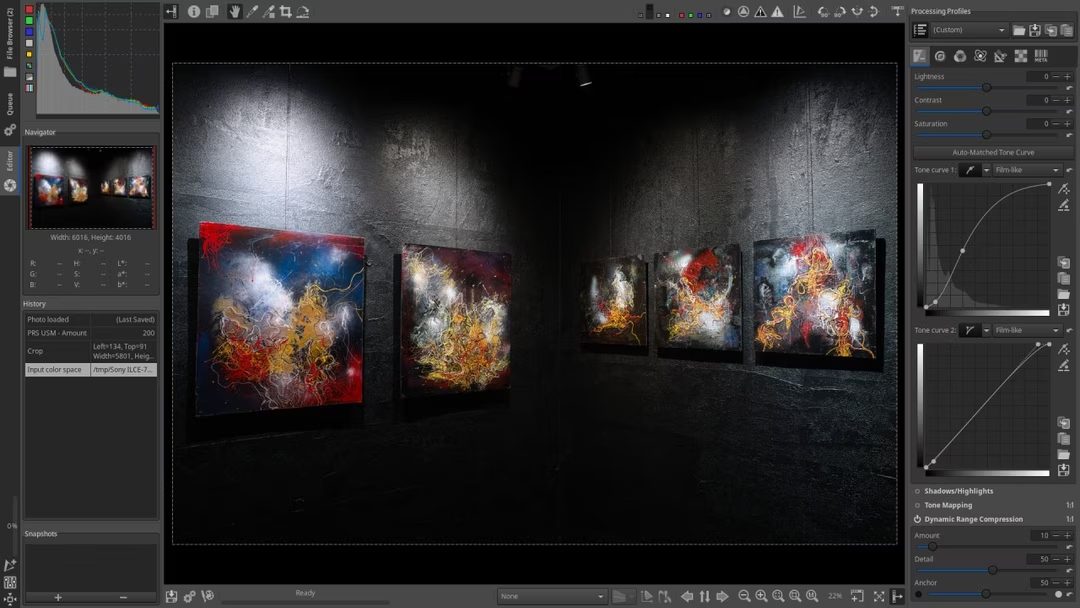
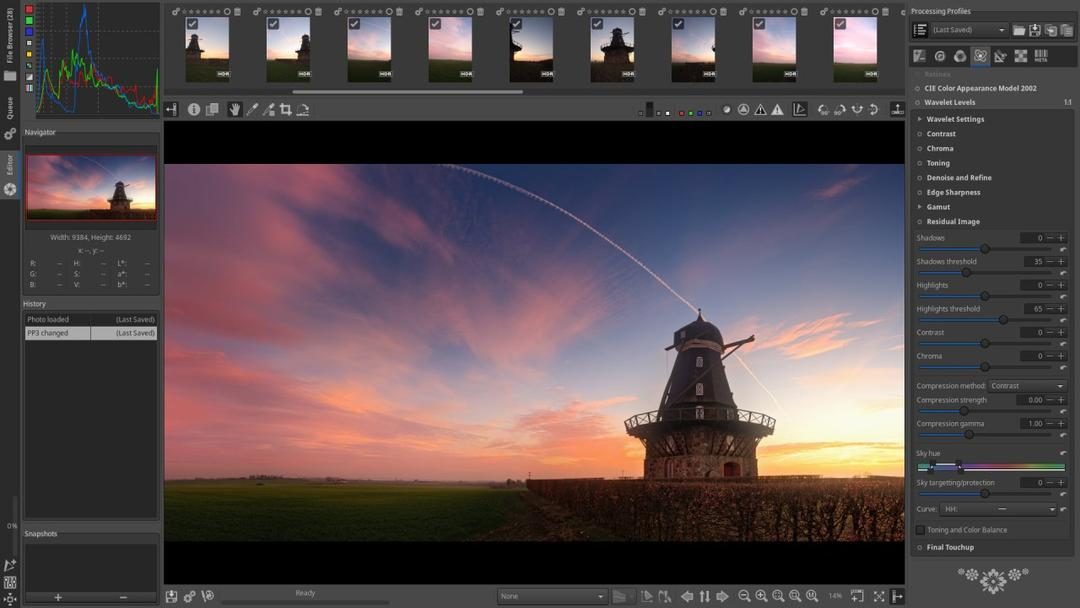
It is not for everyone. The interface can look cluttered at first. There are too many sliders. Too many tabs. It demands attention.
But for those willing to learn, it is liberating. You are not fighting the software. You are using it as an extension of your eye.
The results speak for themselves. Cleaner images. More detail. True color. All for free.
Why pay for a subscription when you can have this? The answer is simple. You don’t need to. The barrier is not cost. It is curiosity.
Open a RAW file. Try a curve. See what happens. The image was always there. You just needed the right lens to see it.
Most raw converters sell you fear. They lock the good stuff behind subscription walls or tiered pricing. RawTherapee does not play that game. It is free. Completely. No pro version. No student discount. Just one download that gives you everything.
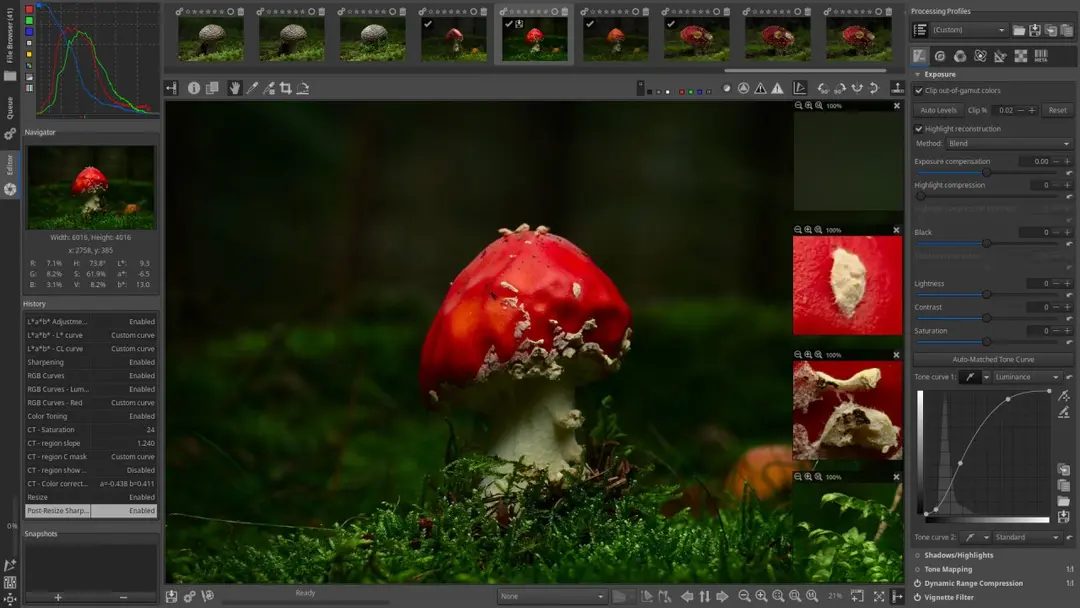
This matters because photography software often feels like a tax on creativity. You pay more for better tools. Here, the tools are identical regardless of who you are. The code is open source. The community builds it. If a new camera sensor drops, the global team updates the support. You get access to advanced noise reduction, fine-tuned sharpness control, and precise color profile management immediately.
There is no barrier to entry based on skill level. A beginner can start with basic exposure correction. A specialist can dive into tone curves and real-time histograms to recover details in highlights and shadows. The interface adapts to Windows, macOS, and Linux without losing functionality. The experience is consistent. The power is universal.
Navigating the Steep Learning Curve
The first time you open RawTherapee, it might look like a cockpit. There are sliders everywhere. Parameters for everything. It is easy to feel overwhelmed.
“The richness of features can be intimidating for first-time users.”
This is not a bug. It is a feature. The software assumes you want control. But that control requires knowledge.
There are no official certifications. No labellized courses. Instead, you rely on the community. The documentation is dense. It is updated constantly. Wiki pages, video guides, and forum discussions provide a wealth of practical advice. You learn by doing. You learn by asking questions in specialized forums.
Mastering Digital Development Principles
Learning RawTherapee is not just about clicking buttons. It is about understanding digital photography at a fundamental level. You must grasp how each parameter impacts the final image.
Noise management. Sharpening. Color correction. These are not isolated tasks. They interact. A decision on noise reduction affects sharpness. A color profile choice impacts contrast.
Users typically progress by:
- Studying online tutorials at their own pace
- Participating in social communities for troubleshooting
- Experimenting with new camera files as they are supported
This approach fosters a professional, personalized workflow. The software evolves rapidly based on user feedback. It adapts to new hardware. It pushes the limits of digital retouching.
The result is not just a better photo. It is a deeper understanding of your images. You are not just editing. You are developing. And that process continues to change how you see light, color, and composition.
The learning never really stops. New cameras drop. New techniques emerge. The software keeps up. You just have to keep watching.
Most photo editors treat your original file like a canvas they can paint over. RawTherapee does something different. It respects the data.
Before you even think about downloading it, you need to understand the engine under the hood. This isn’t just another button-pushing tool. It is open-source software, licensed under GPLv3, which means the code is out there for anyone to audit. There are no hidden tricks. No paywalls. Just a pipeline built for high-precision processing.
The magic lies in its non-destructive workflow.
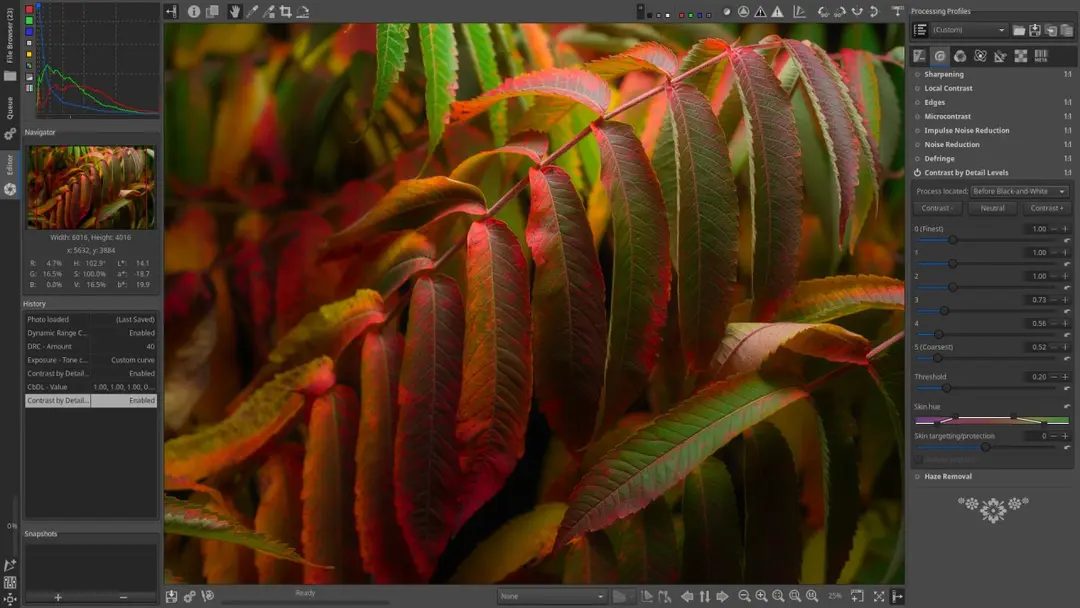
When you adjust exposure or contrast, the software doesn’t rewrite your pixels. It saves those instructions in sidecar files—specifically .pp3 files. Your original RAW file stays untouched. This is huge for anyone who shoots a lot. You can tweak an image today, come back next week, and reset everything with one click. Or you can experiment with different looks without creating five copies of the same file cluttering your hard drive.
System requirements and performance
You don’t need a gaming rig to run this.
RawTherapee runs on Windows, macOS, and Linux. It is primarily 64-bit (x86_64), which is standard now, but it covers the bases for older systems too, supporting Windows 7 through 11. macOS support is consistent. Linux users get package managers and standard installers.
Here is the interesting part: it does not require a dedicated GPU.
The application leverages multi-core processors instead. If you have a modern CPU with multiple cores, the software spreads the load. Rendering previews and final exports happen locally. This means you do not need an internet connection to process images. The entire engine runs on your machine. No cloud dependencies. No latency. Just raw computation power.
“The application exploits multi-core processors and does not require a dedicated GPU.”
This architecture makes it surprisingly portable. While the main installers are standard, there are portable versions available for certain platforms. This allows you to run it from a USB stick. Good for working on multiple machines or accessing your tools on a computer where you cannot install software permanently.
Color science and format support
Image quality isn’t just about sharpness. It is about color accuracy.
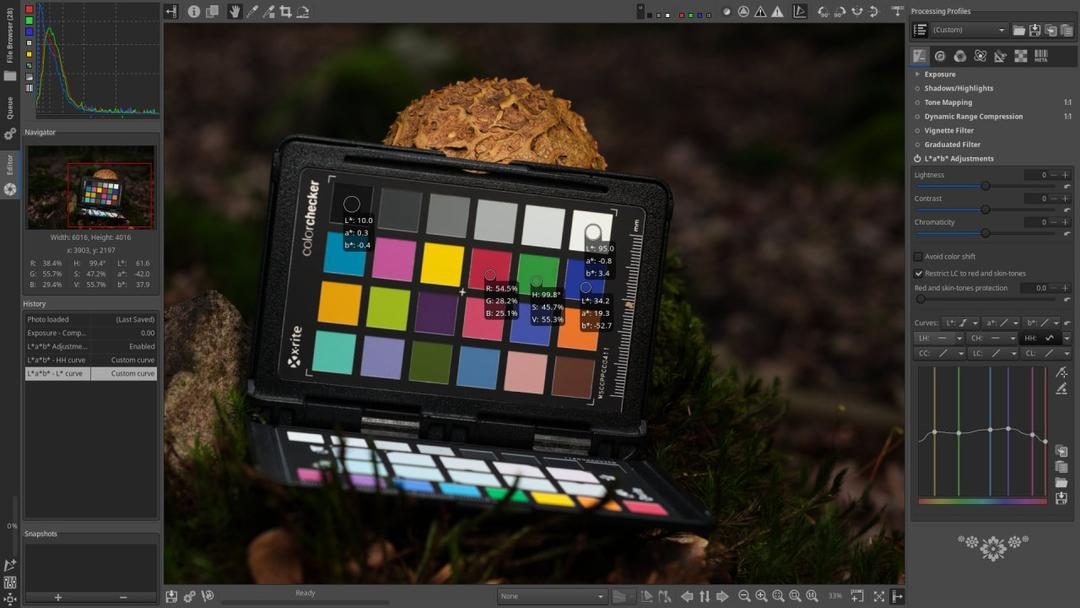
RawTherapee handles color profiles using ICC profiles. It supports the standard spaces: sRGB for web work, Adobe RGB for print, and ProPhoto RGB for maximum gamut preservation. This level of control is essential for photographers who care about getting the hue right the first time.
It eats proprietary RAW files for breakfast. Canon (CR3), Nikon (NEF), Sony (ARW), and others. It also supports DNG, which is Adobe’s universal RAW format. If you shoot JPEG, TIFF, or PNG, it can ingest those too, but let’s be honest—you are here for the RAW files.
The processing pipeline uses high-precision floating-point arithmetic. This prevents banding and posterization in gradients. The math is done in higher precision than the final output, which means smoother transitions in skies and shadows.
Export options include JPEG, TIFF (in both 8-bit and 16-bit), and PNG. The software preserves EXIF data and metadata. It even handles XMP sidecars, so if you migrate from Lightroom or other Adobe tools, your edits can potentially translate, though the native .pp3 format is the primary ecosystem.
Why this setup works for everyday users
You might wonder why this technical detail matters to you.
It matters because it saves you money and your sanity.
First, it is free. The GPLv3 license ensures that. No subscriptions. No “Pro” version upsells. You get the full feature set from day one.
Second, it protects your files. By using sidecar files, your originals remain pristine. This is crucial for archivists and professionals who need to prove the integrity of their source data. It also makes collaboration easier. You can send just the side

The Hidden Cost of Convenience in Cloud Architecture
Most users don’t think about the data pipeline. They click. The app loads. The magic happens.
But behind that instant gratification lies a labyrinth of microservices, API gateways, and data lakes. This is where modern IT infrastructure actually lives. And it’s fragile.
Consider the shift to serverless computing. It promised zero server management. A developer writes code. AWS Lambda (or Azure Functions, or GCP Cloud Functions) handles the rest. Scaling is automatic. You pay only for the compute time used. Sounds ideal.
It is. Until it isn’t.
The problem with serverless isn’t the cost. It’s the complexity of debugging. When a function fails in a distributed system, tracing the error across multiple cold starts and API calls is a nightmare. You lose visibility. You gain abstraction. But abstraction can hide failure.
API Gateways: The Traffic Cop You Can’t Fire
API gateways are the front door. They handle authentication, rate limiting, and routing. Without them, every backend service would need its own security protocol. That’s inefficient.
Think of an API gateway as a bouncer. It checks your ID (authentication). It sees how many times you’ve ordered (rate limiting). It decides which room you go to (routing).
But here’s the catch. Gateways add latency.
Every hop adds milliseconds. In high-frequency trading, those milliseconds matter. In a mobile game? Maybe not. But in a healthcare app monitoring patient vitals? Absolutely.
The trade-off is clear. Security and scalability vs. speed and transparency. You can’t have it all. You choose what breaks first.
Data Consistency: The Illusion of Real-Time Sync
Real-time sync sounds like a feature. It’s actually a architectural challenge.
When two users edit a document simultaneously, who wins? The last write? The most recent timestamp? A merge algorithm?
Conflict resolution is the silent killer of many apps. It’s why you sometimes see “Version conflict” errors in Google Docs or Microsoft 365. The system tries to reconcile differences. It often fails silently. Data loss happens. Not dramatic. Just… gone.
For everyday users, this feels like glitchiness. For engineers, it’s a fundamental tension between consistency and availability. The CAP theorem proves you can’t have all three. Consistency. Availability. Partition tolerance. Pick two.
Most cloud providers choose availability and partition tolerance. Consistency becomes eventual. Which means your data might be wrong for a few seconds. Or minutes. Or hours.
Security: The Moving Target
Security isn’t a product. It’s a process.
Every new feature adds a new attack vector. A new API endpoint. A new database schema. A new third-party integration.
Vulnerabilities creep in through the side door. Not the main entrance. You secure the front door with MFA. You forget to lock the window.
Supply chain attacks are the new norm. You trust your dependencies. They might not trust you. The 2020 SolarWinds hack proved that. One compromised update. Thousands of enterprises compromised.
The lesson? Trust nothing. Verify everything. But verification is slow. Speed is demanded. The tension remains.
The Human Element
Technology is just tools. People are the problem.
A developer cuts corners